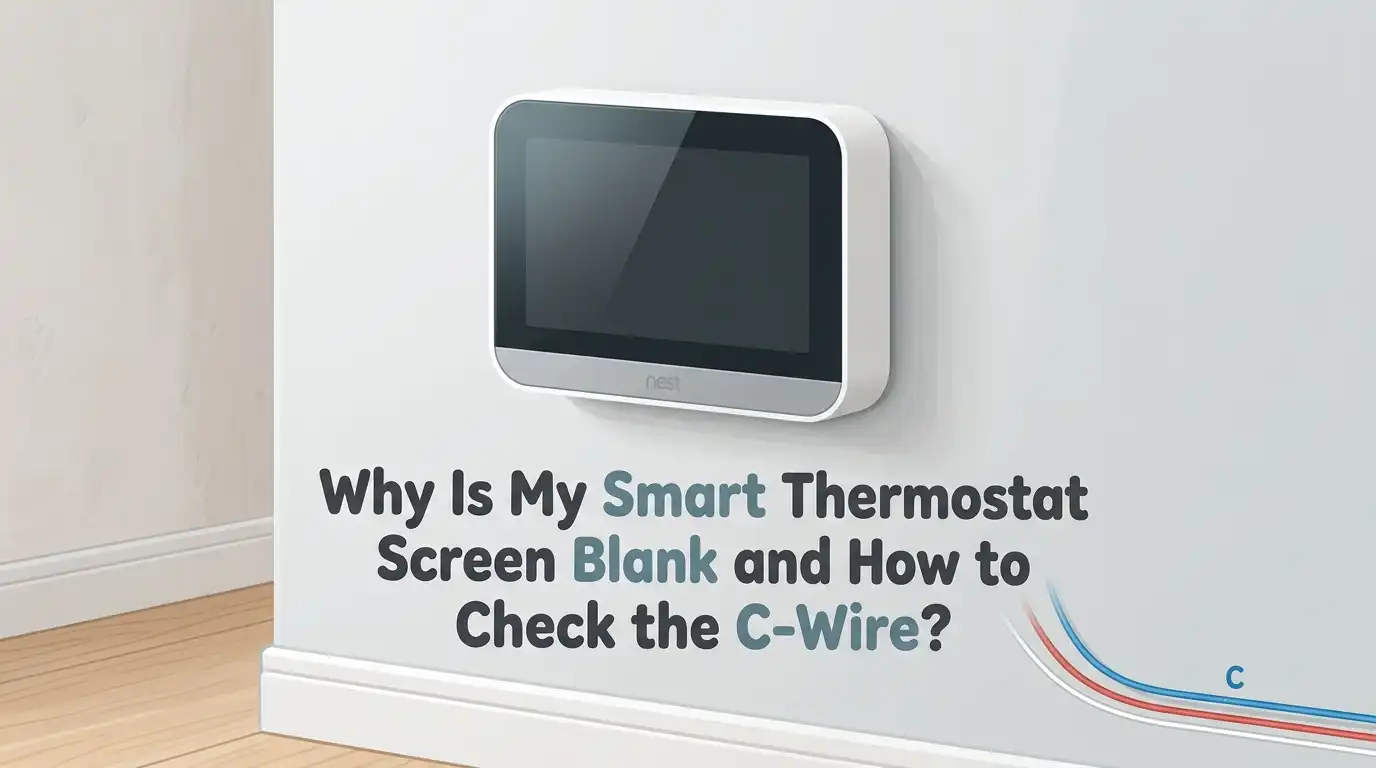
Why Is My Smart Thermostat Screen Blank and How to Check the C-Wire?
You walked over to adjust the temperature, and your smart thermostat stared back with a blank, lifeless screen. No glow. No touch response. Nothing. The house feels too warm or too cold, and panic starts to creep in.
Before you call an HVAC technician and pay a service fee, take a breath. A blank thermostat screen is one of the most common smart home issues, and most causes are simple to fix yourself.
The culprit is often a missing or faulty C-wire, a tripped breaker, or a small clog inside your furnace. This guide walks you through every possible reason, shows you how to test your C-wire safely with a multimeter, and shares practical fixes you can try today.
Key Takeaways
- A blank screen usually means no power. Your smart thermostat needs a steady 24V AC supply, and a missing C-wire is the top reason it loses power.
- The C-wire (common wire) completes the circuit. It carries continuous power from your HVAC transformer to the thermostat, unlike the R-wire which only sends power when heating or cooling runs.
- Simple checks come first. Always test the batteries, breaker, furnace switch, and float switch before opening up wiring. These five minute checks solve most blank screen problems.
- A multimeter is your best friend. Setting it to 24V AC and testing between the R and C terminals tells you instantly if the C-wire is delivering power.
- Adapters and power extenders exist for homes without a C-wire. You can install a 24V plug in transformer, an add a wire kit, or a manufacturer power connector to avoid running new cable.
- Safety first, always. Switch off the furnace breaker before touching any wiring inside the thermostat or the HVAC unit.
What a Blank Smart Thermostat Screen Really Means
A blank screen is your thermostat’s way of saying “I have no power.” Smart thermostats need constant electricity to run Wi-Fi, sensors, and the display. When that power disappears, the screen goes dark immediately.
The power can stop for several reasons. The most frequent ones include dead backup batteries, a tripped breaker, a blown furnace fuse, a full condensate drain pan, or a missing C-wire connection. Older homes especially struggle with the last issue because their original wiring was built for basic dial thermostats.
Identifying the cause matters because each fix is different. Replacing a battery takes a minute, but rewiring a C-wire takes more work. The good news is that you can narrow down the problem in under ten minutes using the steps below.
Why the C-Wire Matters So Much for Smart Thermostats
The C-wire, short for common wire, completes the 24V AC electrical loop between your HVAC transformer and your thermostat. Older mechanical thermostats only needed power when the system was running, so they used the R-wire alone. They borrowed brief pulses of energy to switch the relay.
Smart thermostats are different. They run touchscreens, Wi-Fi radios, motion sensors, and apps. They need power all the time, not just when heating or cooling activates. Without a C-wire, the device may try to steal power from other terminals, which causes flickering, random reboots, or a completely blank screen.
The pros of having a C-wire include stable power, full smart features, and no battery drain. The cons are that older homes may not have one installed, and adding one can mean fishing new cable through walls.
First Step: Check the Batteries and Breaker
Start with the easiest fixes before opening any wiring. Many smart thermostats use AA or AAA backup batteries even when hardwired. If the batteries are weak, the screen may go blank even though the unit is connected.
Pop off the thermostat faceplate and slide out the batteries. Replace them with fresh alkaline ones and snap the face back on. Wait thirty seconds and see if the screen lights up.
If batteries are not the issue, head to your electrical panel. Look for a breaker labeled furnace, HVAC, or air handler. If it sits in the middle position, flip it fully off and then back on. The pros of this method are speed and zero cost. The cons are that it only fixes power supply issues, not wiring faults.
Inspect the Furnace Switch and Door
Most furnaces have a small service switch mounted nearby that looks like a regular light switch. Someone may have flipped it off by accident while cleaning the basement or doing laundry. Check that it points to the on position.
Also look at the furnace access door. Many systems have a safety interlock switch that cuts power when the panel is loose or removed. If the door is not seated properly, the entire system, including the thermostat, will lose power.
Push the door firmly until it clicks. The pros of checking these spots are that they take seconds and require no tools. The cons are minimal, but you do need to know where your furnace lives, which can be tricky in older homes with hidden utility closets.
Look at the Condensate Drain Pan and Float Switch
Air conditioners produce condensation, and that water drains through a pipe to the outside. If the pipe clogs, water backs up into the drain pan. A float switch then trips and shuts off power to the whole system, including your thermostat.
Find the drain pan under your indoor unit. If you see standing water, that is your problem. Use a wet/dry vacuum on the drain line outside to suck out the clog, then empty the pan with a sponge or towel.
The pros of this fix are that it solves a hidden cause many homeowners never check. The cons are that it can get messy, and severe clogs may need a professional cleaning to clear fully.
How to Identify Your C-Wire Behind the Thermostat
Once power side issues are ruled out, the C-wire is the next suspect. Turn off your HVAC breaker first. Never touch wiring while the system is live. Then pull the thermostat off its wall plate.
Look at the terminals. You will see letters like R, Rc, Rh, W, Y, G, and C. The C terminal is where your common wire should connect. Check if a wire is screwed into the C terminal. The color is often blue, but it can be any color.
If the C terminal is empty but you see an unused wire pushed back into the wall, you may already have a C-wire that simply was never connected. The pros of this visual check are clarity. The cons are that some installers tuck unused wires deep inside the wall.
How to Check the C-Wire With a Multimeter
Testing the C-wire with a multimeter confirms whether it actually carries power. Set your multimeter to 24V AC or the closest setting above 24 volts. Turn the HVAC breaker back on after removing the thermostat from the wall plate.
Touch the red probe to the R or Rc terminal and the black probe to the C terminal. A healthy C-wire reads between 24 and 28 volts AC. If you see zero, the wire is not connected at the furnace or is broken.
The pros of using a multimeter are accuracy and certainty. You know exactly what is happening with the voltage. The cons are that you need to buy or borrow the tool, and you must handle live wiring carefully even at low voltage.
What to Do if the C-Wire Reads Zero Volts
A zero reading means the wire exists at the thermostat but is not powered at the other end. Open the furnace control board panel after switching the breaker off again. Look for a terminal labeled C on the green or blue control board.
Trace the wire from your thermostat to the furnace. If it is not screwed into the C terminal on the board, that is your fix. Loosen the screw, insert the wire, and tighten it back down.
If the wire is connected at both ends but still reads zero, the wire itself may be broken inside the wall. The pros of this check are that it often reveals a quick fix. The cons are that broken in wall wires require running new cable.
Solutions When You Have No C-Wire at All
Some older homes simply do not have a C-wire. You have three good options. The first is to install a 24V plug in transformer that mounts near the thermostat and feeds power through a short wire run.
The second is an add a wire adapter, sometimes called a fast stat. This device sits at the furnace and uses your existing wires to deliver constant power without pulling new cable. The third is a manufacturer power connector sold by brands like Google Nest and Ecobee.
The pros of plug in transformers are easy installation and low cost. The cons are visible wiring along the wall. Add a wire kits are invisible but harder to install. Power connectors are clean but only work with specific brands.
When to Call a Professional HVAC Technician
Some situations need expert help. If you tested the C-wire and the furnace board shows no 24V output at all, your transformer may be burned out. If you smell something burning, see scorch marks, or hear buzzing, stop and call a pro immediately.
Also call a technician if you are uncomfortable around wiring or live in a rental where DIY work is not allowed. HVAC pros can replace transformers, run new thermostat cable, and diagnose control board failures safely.
The pros of hiring a professional include speed, safety, and warranty protection. The cons are cost, which can range from a service fee for a basic visit to several hundred dollars for parts and labor. Get a written estimate before agreeing to repairs.
Preventing Future Blank Screen Problems
A little maintenance keeps your thermostat happy for years. Replace the furnace air filter every one to three months. A clogged filter overheats the system and can trip safety switches that cut power to the thermostat.
Flush your condensate drain line with a cup of distilled vinegar twice a year. This stops algae and slime from clogging the pipe and tripping the float switch. Dust the inside of the thermostat with a soft brush during seasonal changes.
The pros of regular maintenance are fewer breakdowns and a longer system life. The cons are that it takes a small amount of time and effort, but compared to emergency repair bills, the trade is worth it.
Frequently Asked Questions
Can a smart thermostat work without a C-wire?
Some smart thermostats work without a C-wire by power stealing through the R and Y terminals. However, this method is unreliable and often causes blank screens, reboots, or Wi-Fi drops. For consistent performance, a C-wire or a power adapter is strongly recommended.
What color is the C-wire usually?
The C-wire is most often blue, but installers use whatever color was available in the cable bundle. It can also be black, brown, or any other color. Always verify by checking which wire connects to the C terminal, not by color alone.
How much voltage should a C-wire carry?
A healthy C-wire reads between 24 and 28 volts AC when measured against the R terminal. Anything below 22 volts suggests a weak transformer. A reading of zero means the wire is not connected or is broken.
Will a blank thermostat screen affect my heating and cooling?
Yes. A blank thermostat cannot send signals to your HVAC system, so heating and cooling stop working. The system itself may still have power, but without instructions from the thermostat, it stays idle. Fixing the screen restores normal operation.
Is it safe to test thermostat wires myself?
Yes, thermostat wires carry only 24 volts AC, which is low voltage and generally safe to handle. Still, switch off the HVAC breaker before touching wiring to avoid short circuits or damage to the control board. Always use insulated tools.
How long do smart thermostat batteries last?
Most backup batteries last between eight and twelve months depending on usage and Wi-Fi signal strength. Replace them once a year as part of seasonal maintenance to avoid surprise blank screens during a hot or cold spell.

Hi, I’m Archie Flynn, the founder and writer behind RapidResizerHub! 👋 I’m a passionate tech enthusiast who loves exploring the latest gadgets, smart devices, and trending electronics on Amazon. Through my honest, hands-on reviews and detailed buying guides, I help readers make smarter, well-informed shopping decisions.