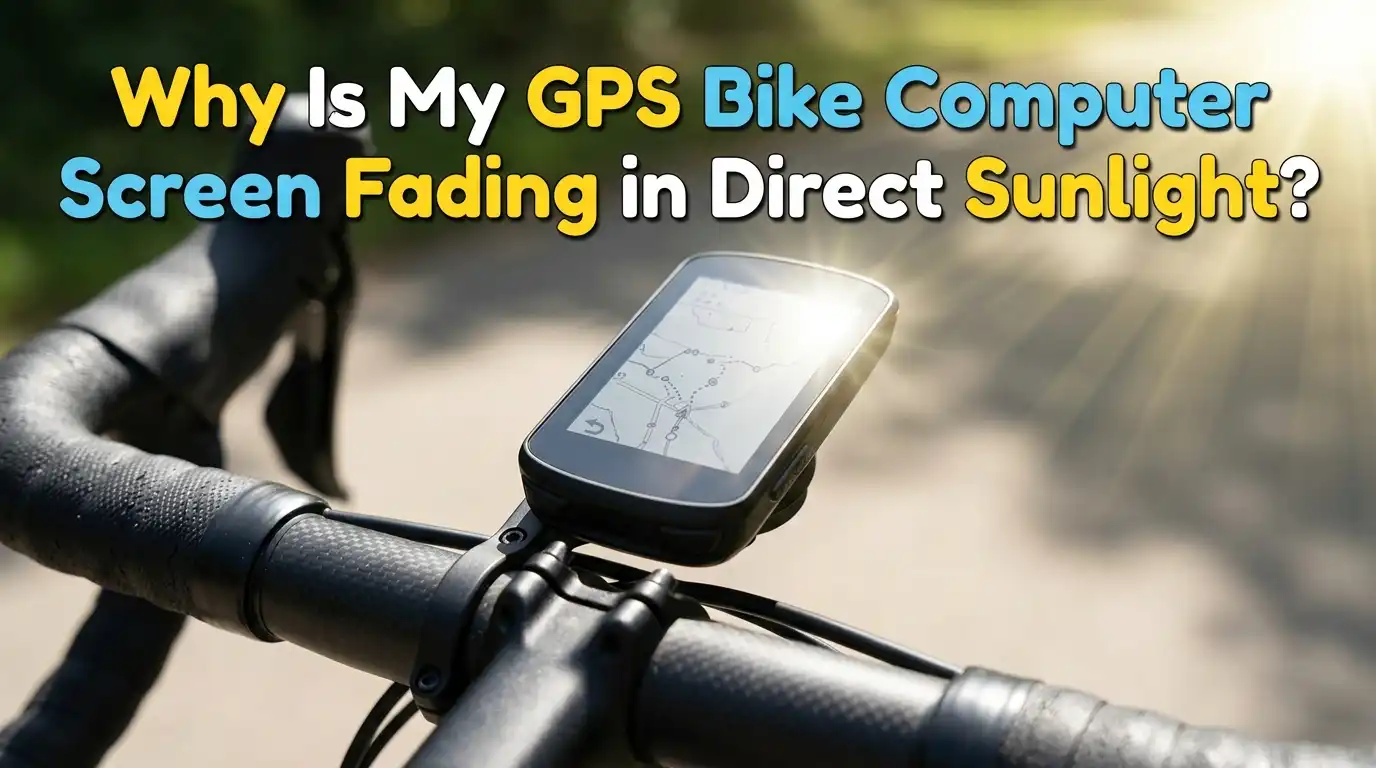
Why Is My GPS Bike Computer Screen Fading in Direct Sunlight?
Riding under a bright sky should feel freeing. Instead, you squint at a washed out screen, trying to read your speed, distance, or turn.
Your GPS bike computer screen fading in direct sunlight is a common frustration, and it can ruin a good ride. The good news is that most causes have simple fixes. Some involve quick settings tweaks.
Others involve smarter mounting or small accessories. This guide walks you through every practical solution, step by step. By the end, you will know exactly why your screen fades and how to bring it back to crisp, readable life.
Key Takeaways
- Screen type matters most. Transflective LCD screens stay readable in bright sun because they use sunlight to brighten the display. Glossy color touchscreens often look washed out because they rely on a backlight that struggles against direct rays.
- Brightness settings can backfire. Cranking up brightness to fight the sun sometimes makes contrast worse. Lowering brightness or using auto brightness often improves visibility and saves battery life.
- Heat causes temporary fading. When the device gets too hot, LCD liquid crystals can develop dark or pale patches called isotropic blackout. Cooling the unit usually restores the screen.
- Angle and glare are sneaky problems. A small tilt of your mount can remove glare instantly. Polarized sunglasses can also block the screen, so check that too.
- Anti glare screen protectors help a lot. Matte films cut reflections and improve daylight readability. They slightly soften sharpness but the trade is usually worth it.
- Firmware and data field choices matter. Updated firmware fixes display bugs. Large, high contrast data fields are easier to read than small colored ones.
What Causes a Bike Computer Screen to Fade in Sunlight
Your bike computer screen fades because of how its display reacts to bright light. Most modern units use either a transflective LCD or a backlit color screen. Transflective screens reflect ambient light to stay visible, while backlit screens push light outward from behind the pixels.
When the sun is stronger than the backlight, the screen looks pale and washed out. Heat also plays a role. High temperatures slow down liquid crystal response and reduce contrast.
Glare from a glossy surface adds another layer of fading. Once you understand these three causes, light competition, heat, and glare, every fix below makes more sense.
Check If Your Screen Is Transflective or Backlit
The first step is knowing what kind of display you own. Transflective screens look dull indoors but pop in sunlight. Backlit color screens look bright and vivid indoors but can wash out outside.
Garmin Edge units like the 530, 830, and 1040 use transflective MIP displays. Wahoo Elemnt and Roam models also lean on transflective tech. Newer models like the Garmin Edge 1050 use a full color backlit touchscreen.
Knowing your screen type tells you which fixes will work best. Check the product specs page or the user manual. If you see terms like MIP, memory in pixel, or transflective, you have the daylight friendly type. If you see AMOLED or IPS, you have a backlit screen.
Pros of transflective screens: great daylight readability, long battery life, lower heat output.
Cons: duller colors, less appealing indoors, lower resolution feel.
Pros of backlit color screens: vivid colors, modern look, smoother maps.
Cons: harder to read in sun, more battery use, more heat.
Adjust the Brightness Settings the Right Way
Many riders crank brightness to maximum the moment the screen fades. This often makes things worse, especially on transflective screens. More backlight can wash out the contrast between text and background.
For transflective displays, try turning the backlight off completely in daylight. The screen will look sharper because the sun does the lighting job. For backlit color screens, set brightness to around 80 to 100 percent during sunny rides.
Enable auto brightness if your device supports it. This lets the unit react to changing light levels. Test the changes on a short ride before a long one. Note how the screen looks at different sun angles. Small tweaks often deliver big improvements.
Update Your Firmware to Fix Display Bugs
Sometimes the fading is not hardware related at all. Firmware bugs can cause poor contrast, slow refresh, or backlight glitches. Garmin, Wahoo, Hammerhead, and Bryton release regular updates that improve display behavior.
Open your companion app, like Garmin Connect or Wahoo ELEMNT. Go to device settings and check for available updates. Always charge the unit above 50 percent before updating. Riders on Garmin forums have reported that updates restored proper screen contrast after months of complaints.
Keep automatic updates on if possible. Read the release notes too. They often mention display fixes you might have missed. A firmware fix takes five minutes and can save you from buying accessories you do not need.
Apply an Anti Glare Screen Protector
A matte anti glare film is one of the most effective fixes for daylight fading. It scatters reflected light so the sun does not bounce straight into your eyes. You can find brands like ScreenShield, IPG, and Tuff Luv for most popular bike computers.
Installation takes about ten minutes. Clean the screen, line up the film, and press out the bubbles with a card. Matte films reduce sharpness slightly but boost outdoor readability a lot. Some riders cut one large film into pieces to cover multiple devices. Skip glossy protectors for outdoor use. They look pretty but defeat the purpose.
Pros: big improvement in glare, cheap, easy to apply, protects against scratches.
Cons: slight loss of sharpness, may dull color slightly, needs replacement every year or two.
Change Your Data Field Layout for Better Visibility
The way you arrange data on screen affects how readable it stays in the sun. Smaller text and colored backgrounds blend together when light hits the display. Larger, simpler fields keep contrast strong even when the sun is harsh.
Open your device settings and edit your data screens. Reduce the number of fields per page. Aim for three to four large fields instead of eight tiny ones. Pick black text on a white background where possible.
Avoid red and yellow on light backgrounds because they wash out fastest. Save a dedicated daylight profile if your device allows it. Switch to it before sunny rides. This tiny habit can change your entire experience.
Adjust Your Mounting Angle to Cut Glare
Glare often comes from a poor mounting angle. If the sun hits your screen at the wrong tilt, light bounces straight back at your eyes. A small adjustment can fix this in seconds.
Loosen your out front or stem mount. Tilt the unit forward by five to ten degrees. The screen should face your eyes, not the sky. Try this on a real ride, not just in your garage.
The position that works at 9 a.m. may need a tweak at noon. Some mounts let you adjust the angle without tools. Consider one if your current mount is fixed. Riding with a glare free screen feels like a different sport.
Manage Heat to Prevent Liquid Crystal Fading
Heat is a silent enemy of LCD screens. When liquid crystals get too hot, they can shift into an isotropic state, causing dark or pale patches. This is sometimes called LCD blackout, and it is reversible if you act fast.
If your screen develops pale or dark spots, park in the shade. Let the device cool naturally for ten to fifteen minutes. Never put a hot computer in a fridge or freezer. The temperature shock can crack the screen or cause condensation.
On hot rides, take short breaks under trees. Avoid leaving your bike in a sunny car. Heat damage is sometimes permanent if the device stays above 60 degrees Celsius for too long.
Check Your Sunglasses Before Blaming the Screen
Here is a surprising cause many riders miss. Polarized sunglasses can block certain LCD screens completely. The polarization layer in your lenses lines up against the screen’s own polarization, creating a dark or rainbow effect.
Tilt your head sideways while looking at the screen. If the display gets brighter or darker, your sunglasses are the problem. Try a non polarized pair of cycling glasses for a clear comparison.
Some riders rotate their bike computer 90 degrees in the mount to reduce the effect. Others switch glasses entirely. This fix costs nothing if you already have multiple pairs. It also explains why your screen looks fine to friends but faded to you.
Pros of switching glasses: instant fix, no device changes needed.
Cons: non polarized lenses give more road glare, may need a second pair.
Use a Sun Visor or Shade Hood
A small visor or shade hood blocks direct sunlight from hitting the screen. Think of it like a hat for your bike computer. These accessories are sold as third party add ons or you can make one yourself.
Some riders use thin black foam or 3D printed clips. Even a small overhang of one centimeter can cut sun exposure dramatically. Make sure the visor does not block the GPS antenna or buttons.
Test the unit briefly before a long ride. Visors work especially well for backlit color screens that struggle most under direct sun. They are also useful for handlebar mounted phones running cycling apps.
Pros: strong shade improvement, cheap, removable.
Cons: adds bulk, may look odd, can interfere with touchscreens if poorly fitted.
Clean the Screen and Lens Properly
A dirty screen amplifies fading. Dust, sunscreen, sweat, and fingerprints scatter light and reduce contrast. Many riders skip this step but it makes a real difference.
Use a microfiber cloth and a tiny amount of water. Skip alcohol, glass cleaners, and rough fabrics because they damage anti reflective coatings. Clean your screen before every long ride.
If you wear sunscreen, wipe your hands before touching the device. Check for fine scratches too. Deep scratches scatter light permanently and may require a new screen protector. A clean screen is a clear screen.
Consider Switching to a More Sun Friendly Bike Computer
If nothing else works, your device may simply not be designed for harsh sunlight. Transflective screens beat backlit color screens in direct sun every time. Many long distance riders pick their computer based on this single feature.
Models like the Garmin Edge 530, Edge 540, and Wahoo Elemnt Bolt use transflective displays that shine in daylight. The trade off is duller colors and less flashy maps.
Try a friend’s device on a sunny ride before you buy. Read reviews from riders in sunny regions like Arizona, Australia, or Spain. Their feedback often reveals real world performance better than indoor reviews.
Pros of switching: permanent fix, better battery life, easier reading.
Cons: cost, learning a new device, transferring routes and history.
Contact Support if the Fading Looks Like Hardware Damage
Sometimes the screen has a real defect. Dead pixels, internal moisture, or pressure damage can mimic sun fading. If the issue persists in shade or indoors, it is probably hardware.
Take photos of the screen in different light. Note when the problem started. Contact the manufacturer with your serial number and purchase date.
Garmin, Wahoo, and Hammerhead all offer repair or replacement under warranty. Out of warranty repairs are possible but pricey. Some screens can be replaced by third party shops for a lower cost. Document everything before sending the unit. A clear paper trail speeds up the process.
Frequently Asked Questions
Why does my Garmin Edge look worse in sun than my older model?
Newer Garmin units like the Edge 1050 use bright color touchscreens. These look amazing indoors but fade in harsh sun. Older models like the 530 use transflective screens built for daylight. The difference is the display tech, not a defect.
Can heat permanently damage my bike computer screen?
Yes, prolonged heat above 60 degrees Celsius can cause permanent LCD damage. Most fading from heat is temporary and clears once the device cools. Avoid leaving the unit in direct sun when parked or in a hot car for long periods.
Do anti glare screen protectors really work on bike computers?
Yes, matte anti glare films noticeably improve daylight visibility. They scatter reflected light and reduce washout. The trade off is a slightly softer image. Most riders find the improvement well worth the small loss in sharpness.
Why does my screen turn black when I wear sunglasses?
Polarized sunglasses can block the polarized light from LCD screens. Tilting your head should make the screen lighter or darker. Switching to non polarized cycling glasses fixes the issue instantly.
Is it better to use auto brightness or set it manually?
Auto brightness works well for most riders because it adapts to changing light. Manual settings are better if you ride in consistent conditions. Try both for a week and stick with the one that feels easier on your eyes.
Can I clean my bike computer screen with alcohol wipes?
Avoid alcohol and glass cleaners because they can strip anti reflective coatings. Use a damp microfiber cloth with plain water instead. This keeps your screen clear without damaging the surface treatment.

Hi, I’m Archie Flynn, the founder and writer behind RapidResizerHub! 👋 I’m a passionate tech enthusiast who loves exploring the latest gadgets, smart devices, and trending electronics on Amazon. Through my honest, hands-on reviews and detailed buying guides, I help readers make smarter, well-informed shopping decisions.