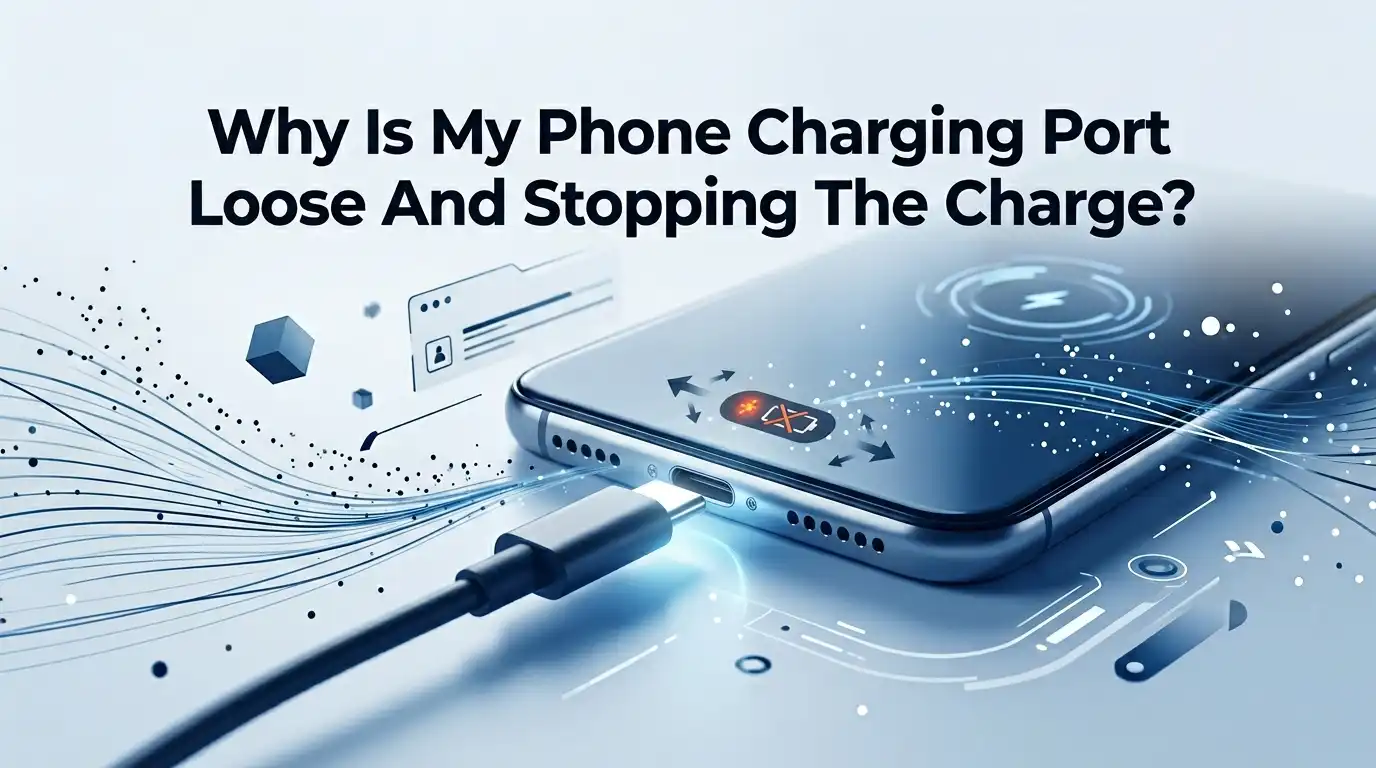
Why Is My Phone Charging Port Loose And Stopping The Charge?
Your phone sits at 12 percent. You plug in the cable. Nothing happens. You wiggle it, push it harder, and prop a book against the side to hold the cable in place. Sound familiar?
A loose charging port is one of the most annoying phone problems out there. It turns a simple task into a guessing game. The good news is that most loose port issues have a clear cause and a fixable solution.
Many times, you do not even need a repair shop. In this guide, you will learn why your charging port feels loose, how to spot the real culprit, and the exact steps to fix it safely. Let us get your phone charging like new again.
In a Nutshell
- Lint and dust are the top cause. Pocket fluff packs into the port over time. It blocks the cable from seating fully, which makes the connection feel loose and stops the charge.
- A bad cable often fools you. A worn or frayed cable can act exactly like a loose port. Always test a second cable before you blame the phone itself.
- Cleaning fixes most cases at home. A wooden toothpick, a soft brush, and a can of compressed air solve the majority of loose port problems in minutes.
- Be gentle to avoid real damage. Metal tools can bend the tiny pins inside. Turn the phone off first and never jam anything hard into the port.
- Some problems need a pro. Bent pins, water corrosion, or a port loose from a drop usually require professional repair, which costs roughly 50 to 150 dollars.
- Prevention saves you money. Dust plugs, wireless charging, and gentle cable habits keep your port healthy for years.
What A Loose Charging Port Actually Means
A loose charging port means the cable does not lock firmly into your phone. You plug it in, but it slides out or only charges at a certain angle.
This is a connection problem, not always a broken part. The port is a small slot with tiny metal pins inside. The cable must touch those pins to pass power. When something stops that solid contact, charging fails.
Two main things cause this looseness. First, the gap fills with debris, so the cable cannot reach the pins. Second, the pins or the port frame get physically damaged.
The first cause is common and easy to fix. The second cause is rarer and harder. Knowing the difference helps you choose the right action and avoid wasting time.
Lint And Dust: The Number One Culprit
Your phone lives in pockets, bags, and on dusty tables. Every day, tiny fibers and dust drift into the open port. Over months, this fluff compresses into a hard, packed plug at the bottom of the slot.
This buildup is the single most common reason a charging port feels loose. The cable hits the lint instead of seating fully against the pins.
One tech writer cleaned his Samsung port and found so much packed lint he was shocked the cable fit at all. The cable cannot make full contact when lint blocks the way.
This is why your phone might charge at a weird angle, since pushing sideways shifts the cable past part of the debris. The fix here is simple cleaning, which we cover in detail below. Most people are amazed at how much fluff comes out.
How To Check If It Is The Port Or The Cable
Before you touch the port, rule out the cheaper suspect. Cables fail far more often than ports. They bend, fray, and break inside the rubber where you cannot see it.
A failing cable mimics a loose port perfectly. You wiggle it, hold it just right, and it charges for a second. That behavior points to the cable, not the phone.
Run this quick test. Plug your usual cable into a different phone or device. If it also acts loose or fails there, the cable is the problem. Next, try a known good cable in your phone.
If that cable charges fine, your port is okay. If both cables feel loose only in your phone, the port likely holds debris or damage. This two minute test saves you from unneeded repairs. Always start here.
Step By Step: Cleaning The Port Safely At Home
Cleaning is the fix that solves most loose port cases. Follow these steps carefully to avoid damage. First, turn your phone completely off. A powered phone plus a metal tool can short the pins.
Second, shine a bright light into the port and look for packed lint or a gray clump at the bottom.
Third, use a wooden or plastic toothpick to gently loosen the debris. Scrape the back wall lightly and lift the lint toward the opening. Fourth, use short bursts of compressed air to blow loose bits out.
Fifth, a clean dry toothbrush can sweep out the final fibers. Sixth, plug the cable back in and feel for a firm click. Take your time and stay gentle. Rushing here is how phones get broken, so move slowly through each step.
Pros: Free, fast, fixes most cases, and needs only basic tools.
Cons: Risk of bent pins if you rush, and it does not help if pins are already damaged.
Using Compressed Air The Right Way
Compressed air is the safest first move because it does not touch the pins at all. It blasts loose lint out without any scraping.
This makes it perfect for people who feel nervous about poking inside their phone. You can buy a can at any electronics or office store, and reusable electric air dusters work too.
Hold the phone with the port facing down. Give the port two or three short bursts, not one long blast. Pointing the port down lets gravity help the debris fall out.
Keep the nozzle a small distance away and avoid tipping the can, since liquid propellant can spray out and harm the port. Short, controlled bursts work better than force. If the lint is packed hard, air alone may not clear it, so follow up with a gentle toothpick.
Pros: No contact with pins, very low risk, and quick to do.
Cons: Cannot remove tightly packed lint, and bad technique can spray cold liquid inside.
When Rubbing Alcohol Helps And When It Hurts
Sometimes sticky grime or sugary spills sit inside the port. Rubbing alcohol can dissolve this residue when a dry toothpick fails. But alcohol must be used with real care.
The writer who broke his Galaxy S20 used strong alcohol on a powered phone with a metal needle. The phone shut off and never came back.
Follow these rules to stay safe. Always power the phone off first. Use seventy percent isopropyl alcohol or lower, since higher strengths hold less water and dry slower, which sounds odd but matters here. Dip a toothpick tip lightly, not a soaked one.
Never pour or drip alcohol straight into the port. Let everything dry fully for at least thirty minutes before you plug in. Patience prevents a dead phone. When unsure, skip the alcohol and try air or a dry pick instead.
Pros: Cuts through sticky grime that dry tools miss.
Cons: High risk if rushed, can short the phone, and demands long drying time.
What To Do About Bent Or Damaged Pins
Sometimes the port is clean but still loose. Shine your light inside and look at the tiny pins. Bent, pushed down, or missing pins mean physical damage.
This often happens after someone jams a cable in the wrong way or forces a metal tool too hard during cleaning. Once pins are bent, the cable cannot grip or make solid contact.
Be honest about your skill here. Trying to bend pins back yourself usually makes things worse. The pins are fragile and snap easily. If you see clear pin damage, stop and plan a repair.
A magnetic charging cable can be a temporary workaround, since it connects through a small adapter that stays in the port. But this only masks the problem. For a real fix, a professional with proper tools is your safest path. Do not gamble with delicate pins.
The Role Of A Worn Out Cable And Adapter
Even after you clean the port, your charging gear matters. Cables wear out from constant bending and pulling. The metal tip can loosen, and the wires inside can fray near the connector.
A loose feeling tip is often the cable, not the port. Adapters age too, and the USB slot inside a brick can loosen over time.
Test your full setup. Swap the cable, swap the adapter, and try a different wall socket. Change one item at a time so you know which part fails. Also check the amp rating, since a weak charger charges slowly even when everything connects fine.
Cheap, poorly made cables fail fastest. Buying a well made cable from a known brand pays off, since a reliable cable protects the port from extra strain during plugging and unplugging.
Pros: Cheap to test and often the true fix.
Cons: Buying replacements adds small cost, and a bad cable can stress the port over time.
Could Water Or Corrosion Be The Problem
Water is a quiet enemy of charging ports. Even a little moisture from rain, sweat, or a humid bathroom can creep inside. Over time it leaves green or white corrosion on the pins.
Corrosion blocks contact just like lint, but it is far harder to remove. Many phones now block charging when they sense moisture, showing a warning instead.
Check for this if your port got wet recently. Look for any green tint, crust, or white powder on the pins. Light corrosion can sometimes be cleaned with a soft brush and a touch of isopropyl alcohol after the phone is off and dry.
Heavy corrosion usually needs a pro. Never charge a wet phone, since this speeds up the damage. Let the phone air dry fully, and avoid the old rice trick, which does little and can leave dust behind.
When To See A Professional Repair Shop
Some problems sit beyond a home fix, and that is okay. See a pro if the port is clean but still loose, if pins are bent, or if you see corrosion.
A drop that cracked the frame near the port also calls for expert help. Repair shops have the right tools to open the phone, test the port, and replace it without harming other parts.
The good news is that most ports are replaceable modules, not glued to the main board. This keeps repair affordable in many cases. Costs usually run from around 50 dollars on simpler phones to roughly 80 to 150 dollars on newer models.
Compare that price to a new phone before you decide. If your phone is fairly new, repair almost always makes sense. A skilled tech can often fix it the same day.
Pros: Proper tools, real diagnosis, and a lasting fix with a warranty.
Cons: Costs money, takes time, and very old phones may not be worth the spend.
Repair Or Replace: Making The Smart Choice
This decision comes down to math and timing. Ask yourself how old your phone is and what a repair costs against a new device.
A port repair on a two year old phone is usually a smart, cheap save. But if your phone is old, slow, and the battery is already weak, the money might serve you better toward an upgrade.
Think it through with simple questions. Is the repair price less than half the cost of a comparable used phone? If yes, repair it. Does the phone still meet your daily needs? If yes, repair it.
Sentiment and stored data also count, since moving everything to a new phone takes effort. Many people fix the port to keep a phone as a reliable backup. There is no single right answer, only the one that fits your budget and habits best.
Smart Habits To Prevent A Loose Port Again
Prevention beats repair every time. A few small habits keep your port snug for years. Use a silicone dust plug when you carry the phone in pockets or bags.
These cheap rubber caps block lint before it gets in. They cost very little and save big headaches. Pop the plug out only when you charge.
More smart habits help too. Clean the port gently every month or two with a quick air blast before lint packs hard. Plug the cable in straight, never at an angle, and never force it. Stop yanking the cable out by the wire, since that loosens the tip and stresses the port.
Switching to wireless charging removes the daily plug and unplug wear entirely. Even using it part time cuts down the strain. These easy steps protect both your port and your wallet over the long run.
Frequently Asked Questions
Why does my phone only charge when I hold the cable at an angle?
This almost always means lint blocks the port or your cable tip is worn. Holding it at an angle shifts the cable past part of the debris to touch the pins. Clean the port first, then test a new cable. If neither helps, the pins may be bent and need a pro.
Can I fix a loose charging port myself?
Yes, in most cases. Cleaning out lint with a wooden toothpick and compressed air fixes the majority of loose ports. Always turn the phone off first and stay gentle. But bent pins, corrosion, or drop damage need a repair shop, since fixing those at home often makes things worse.
Is it safe to use a paperclip to clean my charging port?
It is risky. Metal tools like paperclips and needles can bend the delicate pins or short the phone. A wooden or plastic toothpick is much safer. If you must use anything thin, make sure the phone is powered off and move slowly with very light pressure.
How much does it cost to replace a charging port?
Prices vary by phone model and shop. Repairs usually range from about 50 dollars on simpler phones to roughly 80 to 150 dollars on newer models. Most ports are replaceable modules, which keeps the cost reasonable compared to buying a brand new phone.
Will cleaning the port damage my phone?
Not if you do it carefully. The danger comes from rushing, using metal tools, or working on a powered phone. Turn the phone off, use a soft non metal tool, and apply gentle pressure. Compressed air is the safest option since it never touches the pins.
How do I stop lint from getting in my port again?
Use a small silicone dust plug when the phone sits in your pocket or bag. Clean the port gently every month or two before lint packs hard. Plugging the cable in straight and switching to wireless charging part time also cuts down on wear and debris.

Hi, I’m Archie Flynn, the founder and writer behind RapidResizerHub! 👋 I’m a passionate tech enthusiast who loves exploring the latest gadgets, smart devices, and trending electronics on Amazon. Through my honest, hands-on reviews and detailed buying guides, I help readers make smarter, well-informed shopping decisions.