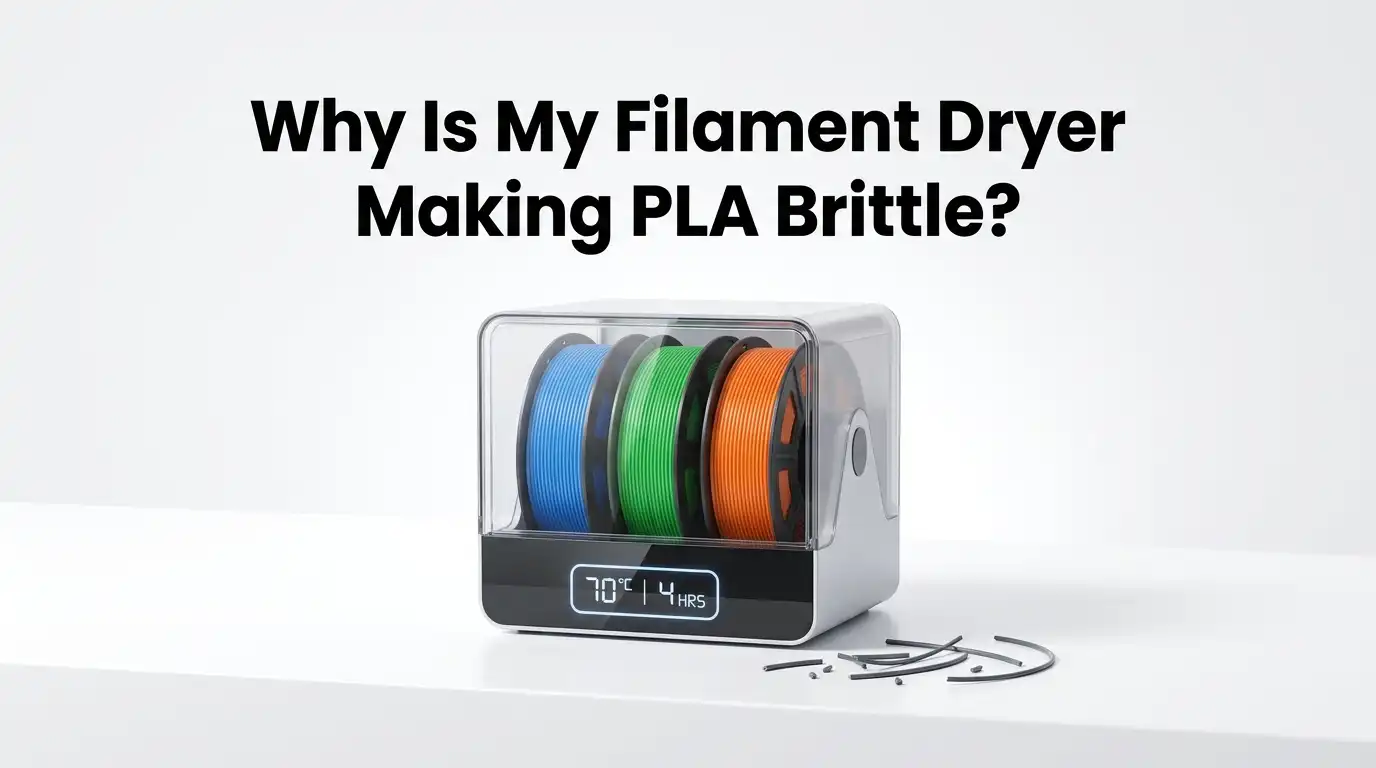
Why Is My Filament Dryer Making PLA Brittle?
If your PLA comes out of the dryer feeling stiff, snapping near the feed path, or breaking in your hands, the problem is usually not just “dry filament.” The problem is often too much heat, too much time, poor airflow, or repeated heating cycles.
PLA needs gentle drying. It does not respond well to the same treatment people use for tougher materials. That is why a dryer that seems helpful can slowly turn into the reason your spool feels ruined.
In this guide, you will learn why PLA turns brittle, how to tell if your dryer is overdoing it, and what exact steps help you recover and prevent the issue. The goal is simple. You want dry PLA that still bends, feeds, and prints cleanly.
In a Nutshell
- PLA usually dries best at about 45 C to 50 C, not at aggressive heat. Most current guidance lands in that range, with common drying times between about 4 and 8 hours depending on the spool, the dryer, and room humidity. More heat is not better for PLA. Once you move too close to its softening range, you increase the chance of stress, fused loops, and brittle behavior.
- A brittle spool is not always “too dry.” In many cases, the spool was already damaged by moisture, age, sunlight, or repeated warm cycles. Drying can remove water, but it cannot fully rebuild broken polymer chains. That is why a spool may still snap after a long bake. Drying helps moisture. It does not undo material aging.
- Your dryer may be running hotter than the screen says. This is very common with basic dryers and ovens. A chamber that claims 45 C may have hot spots well above that. PLA can start to soften before you expect it to, and local hot areas can stress the filament even when the average reading looks safe.
- Airflow matters almost as much as temperature. If moist air stays trapped in the chamber, the spool sits in warm humidity instead of truly drying. That often makes people extend the cycle too long. Better venting and gentle airflow can reduce total drying time and lower the chance of damage.
- Short testing cycles are safer than marathon drying sessions. Start with a moderate cycle, test extrusion, listen for popping, and inspect flexibility. Then add time in small steps if needed. This method is slower, but it protects the spool. The main con is that it takes more attention. The main pro is fewer ruined rolls.
- Good storage prevents repeat baking. Freshly dried filament can pull moisture back from normal room air faster than many people expect. If you dry PLA and then leave it out, you may end up drying it again and again. A sealed box, fresh desiccant, and low humidity storage often solve the root issue better than longer dryer runs.
Why PLA Turns Brittle After Too Much Heat
PLA is a simple material to print, but it has one weak point. It does not like unnecessary heat exposure. Its softening range is much lower than many other filaments, so a dryer that feels mild for PETG or ABS can be too much for PLA.
When PLA sits warm for too long, especially if moisture was already present, the material can lose toughness and become easier to snap.
There is also a second issue. Moisture and heat together can push PLA into chemical breakdown. Water in the filament can help break polymer chains during heating. That means a spool may become dry but weaker after a long cycle. You remove moisture, but you also reveal or worsen existing damage.
This is why “just dry it longer” is a risky habit with PLA. Pros of longer drying are better moisture removal for very damp spools. Cons are greater thermal stress, more chance of softening, and more risk if the dryer temperature is inaccurate. The safest mindset is this. PLA wants gentle correction, not a long bake.
Signs Your Dryer Is Overdoing It
A spool that is being over dried or overheated usually gives clear warnings. The most obvious sign is snapping.
If the filament breaks with a small bend near the outer wraps, the spool is in trouble. You may also notice the filament feels stiffer than normal, feeds with jerky motion, or cracks near the extruder path during loading.
Print quality can also change in ways that seem confusing. The spool may stop popping, which makes you think drying worked, yet parts still come out weak, dull, or rough. That often means the water is reduced, but the material has already lost some strength. Dry does not always mean healthy.
Look for these clues together, not one by one. Pros of checking physical signs first are speed and zero cost. Cons are that some symptoms overlap with nozzle heat, bad retraction, or old filament.
A smart check is simple. Bend a short loose section gently, inspect the outer wraps, and compare the spool to a newer PLA spool if you have one.
The Safe PLA Drying Range That Usually Works
Most practical guidance for PLA falls into a narrow zone. A safe working range is usually 45 C to 50 C, with many users landing around 45 C for older spools and up to 50 C for damp but otherwise healthy PLA.
Time often falls between 4 and 8 hours. That range is useful because it stays below PLA’s softening danger zone while still giving moisture a chance to escape.
Do not treat this as one fixed rule for every brand. Some PLA blends, silk versions, filled PLAs, and special additives react differently.
That is why your first move should be to check the spool label or the maker’s guidance if available. If you cannot find it, start low. Low and controlled is safer than hot and fast.
Pros of the 45 C to 50 C range are low distortion risk and wide compatibility. Cons are slower drying and the need for patience in humid rooms.
If your dryer has weak airflow, use the lower end first and extend time carefully in small steps. That approach protects the spool better than jumping straight to a hotter setting.
How To Test Whether The Problem Is Moisture Or Heat Damage
This is the step many people skip. They assume all brittleness means “wet filament,” then they keep drying and make the problem worse. A better approach is to run a small test.
Dry the spool at a safe setting, then extrude a little filament and listen. If popping, steam, or bubbles improve but the filament still snaps easily, the spool may already have heat or age damage.
A second test is visual and mechanical. Unwind a small section by hand. If the filament cracks with little force even after a moderate dry cycle, that is a strong sign the issue is no longer just moisture. The spool may be chemically or thermally aged. In that case, more drying will not restore lost strength.
Pros of testing first are accuracy and less wasted time. Cons are that it takes a few extra minutes before printing. Still, it is worth it. This step helps you decide between three paths. Keep drying a little longer, change the drying method, or stop trying to save a spool that has already passed its useful limit.
How To Reset Your Drying Routine Step By Step
If your current routine is making PLA brittle, reset everything to a simple baseline. First, let the spool cool fully to room temperature. Next, set the dryer to 45 C.
Run the spool for 4 hours, then test flexibility and do a short extrusion test. If signs of moisture remain, add 1 to 2 more hours. Stop and test again.
Do not jump straight into a second full day of drying. PLA responds better to short controlled steps than to one long session. If your spool improves after a moderate cycle, dry only as much as needed. If it does not improve and keeps snapping, the material may already be damaged past recovery.
This method has clear tradeoffs. Pros are lower risk, better control, and easier troubleshooting. Cons are more hands on time and slower results.
Still, it is the safest way to learn what your dryer is actually doing. Once you find the shortest cycle that works for your room and your brand of PLA, write it down and reuse it.
Choosing Between A Filament Dryer, Food Dehydrator, And Oven
The tool you use matters a lot. A dedicated filament dryer is usually the easiest option because it is made for spool heating and often allows printing from the box.
A food dehydrator is also a strong choice because it usually gives decent airflow at moderate heat. A home oven is the riskiest option because low temperature control is often poor.
Filament dryer pros are convenience, cleaner setup, and spool friendly use. Cons are that cheaper units may have bad temperature accuracy or weak venting. Food dehydrator pros are good airflow and lower cost.
Cons are fit issues, uneven chamber size, and limited settings on some models. Oven pros are easy access and no extra device cost. Cons are hot spots, poor low heat control, and higher risk of ruining PLA.**
If you must use an oven, use an external thermometer and never trust the dial alone. That one habit can save a spool. For most people, a dryer or food dehydrator is the safer long term answer for PLA.
Why Airflow Matters As Much As Temperature
Heat removes moisture only if the moist air can leave the chamber. If the air stays trapped, the spool sits in a warm damp pocket. That leads many users to increase the drying time again and again. The result is simple. PLA spends too long under heat and becomes more brittle, even though the main problem was poor airflow.
This is why some low temperature runs fail while others work perfectly. The successful setup usually moves air gently and lets humid air escape. Good airflow shortens the job. Bad airflow stretches the job until you start blaming the filament.
You can improve this without buying anything fancy. Make sure vents are open if your unit has them. Do not pack two large spools tightly in a small chamber. Do not block fan paths.
Pros of better airflow are faster drying and lower heat exposure. Cons are that some dryers lose heat faster and may need slightly longer time. Even so, lower heat with better airflow is usually kinder to PLA than stale warm air in a closed chamber.
What To Do If The Spool Is Already Snapping
If your PLA is already snapping during loading or while sitting in the feed path, start by lowering expectations. Drying can fix moisture. It cannot fully reverse old age, sunlight damage, repeated warm cycles, or chemical breakdown from long moisture exposure. That means some brittle spools can be improved, while others are already done.
First, trim off the outer few meters if those wraps took the most stress. Then try a gentle dry cycle at 45 C for 3 to 4 hours. After that, test again. If the spool still breaks with light bending, stop forcing it through a long print. You will waste more time on jams and failed parts than the spool is worth.
Pros of trying one last mild recovery cycle are possible improvement and low effort. Cons are false hope and more lost time if the material is already degraded.
A damaged spool can still be useful for small test prints, color samples, or short non critical parts. For important parts, reliable fresh PLA is the better choice.
How Storage Mistakes Make You Dry PLA Again And Again
Many people blame the dryer, but the real problem starts after drying. Freshly dried filament can pull moisture back from room air surprisingly fast, especially in a humid space.
If you dry PLA, leave it on a shelf, then dry it again before every print, you create repeated heat cycles. Those cycles slowly add stress to the spool.
The better fix is storage, not more baking. Put the spool into a sealed container or sealed bag with fresh desiccant as soon as it cools. Use a humidity meter if you have one.
A low humidity box helps the spool stay usable much longer. Dry once, store well, print sooner. That is the winning pattern.
Pros of sealed storage are fewer drying sessions, more stable print quality, and less material aging. Cons are the extra habit and a small setup cost for containers and desiccant. Still, storage is cheaper than replacing ruined PLA. If your room is humid, storage matters almost more than the dryer itself.
How Print Settings Can Mimic Wet Or Brittle Filament
Sometimes the filament is not the only issue. A nozzle that runs too hot can cause ooze, rough surfaces, and weak looking walls that seem like moisture damage. Aggressive retraction can grind or stress filament near the drive gears. A rough filament path can also make a slightly stiff spool appear much more brittle than it really is.
That is why a quick printer check helps before you blame the dryer for everything. Lower nozzle temperature a little if your PLA is stringing after drying. Check retraction, extruder tension, and the path from spool to hot end. If the filament is rubbing hard on a tight curve, it may snap sooner.
Pros of checking printer settings are better diagnosis and fewer wrong conclusions. Cons are the extra setup time and the chance that the filament still is the main issue. Even so, this step matters because wet PLA, overheated PLA, and badly tuned PLA can all look similar at first.
A Simple PLA Care Routine That Prevents This Problem
The best fix is a routine you can repeat without guesswork. Start with storage. Keep PLA sealed with desiccant when it is not in use. If a spool has been sitting out, dry it gently at 45 C to 50 C for a moderate cycle. Do a quick test print or short extrusion. Then stop drying as soon as the symptoms are gone.
Avoid using heat as a storage method. PLA does better in a dry sealed box than in a warm chamber for endless hours. Also, do not copy settings from PETG, ABS, or nylon. PLA needs its own routine. Lower heat, moderate time, and less repeated cycling usually give the best results.
This routine has a clear advantage. Pros are consistency, fewer broken spools, and less wasted print time. Cons are that you need to stay organized and pay attention to humidity changes in your room. Still, once you build the habit, PLA becomes very easy to manage and far less likely to turn brittle after drying.
Frequently Asked Questions
Can PLA become brittle from drying too long even if the temperature seems safe?
Yes, it can. A dryer can read safe on the display and still create hot spots inside the chamber. Repeated long cycles can also add thermal stress over time. If the spool already had moisture damage or age damage, a long drying session may expose that weakness more clearly. The safest move is to use shorter cycles, test the spool, and stop once the moisture symptoms are gone. If the spool still snaps after a moderate cycle, more drying is unlikely to restore its original strength.
What is the best drying time for PLA?
A practical starting point is 4 to 6 hours at about 45 C, then test the spool. Some PLA may need up to 7 or 8 hours if the room is humid or the spool was left out for a long time. The key is control, not maximum time. Dry in small steps instead of one huge session. That method reduces risk and helps you learn what works for your setup. If your dryer has weak airflow, improving venting may help more than adding several extra hours.
Can I save a brittle PLA spool?
Sometimes yes, but not always. If the brittleness comes mainly from moisture, a gentle dry cycle and better storage may improve it enough for normal use. If the spool has chemical aging, sunlight damage, repeated heat stress, or severe moisture history, the loss of strength may be permanent. In that case, you may still use it for short test prints or non critical parts, but it is not smart to trust it for long or important prints. Drying removes water. It does not fully rebuild damaged material.
Is a food dehydrator better than an oven for PLA?
For most users, yes. A food dehydrator usually gives gentler heat and better airflow than a home oven. That makes it a safer choice for PLA. Ovens often swing above the set temperature, and those spikes can soften or stress the filament. The main pros of a food dehydrator are steady drying and lower risk. The main cons are space limits and less precise controls on some units. If you use an oven, always verify the actual temperature with a separate thermometer.
Why does my PLA get brittle again after I already dried it?
The usual reason is poor storage after drying. Once PLA leaves the dryer, it can start pulling moisture from the room again. If the room is humid and the spool sits out for days, you can end up in a loop of dry, print, leave out, dry again. Those repeated warm cycles slowly wear on the filament. Better storage breaks the cycle. Seal the spool with desiccant as soon as it cools, and keep it there until the next print session.

Hi, I’m Archie Flynn, the founder and writer behind RapidResizerHub! 👋 I’m a passionate tech enthusiast who loves exploring the latest gadgets, smart devices, and trending electronics on Amazon. Through my honest, hands-on reviews and detailed buying guides, I help readers make smarter, well-informed shopping decisions.