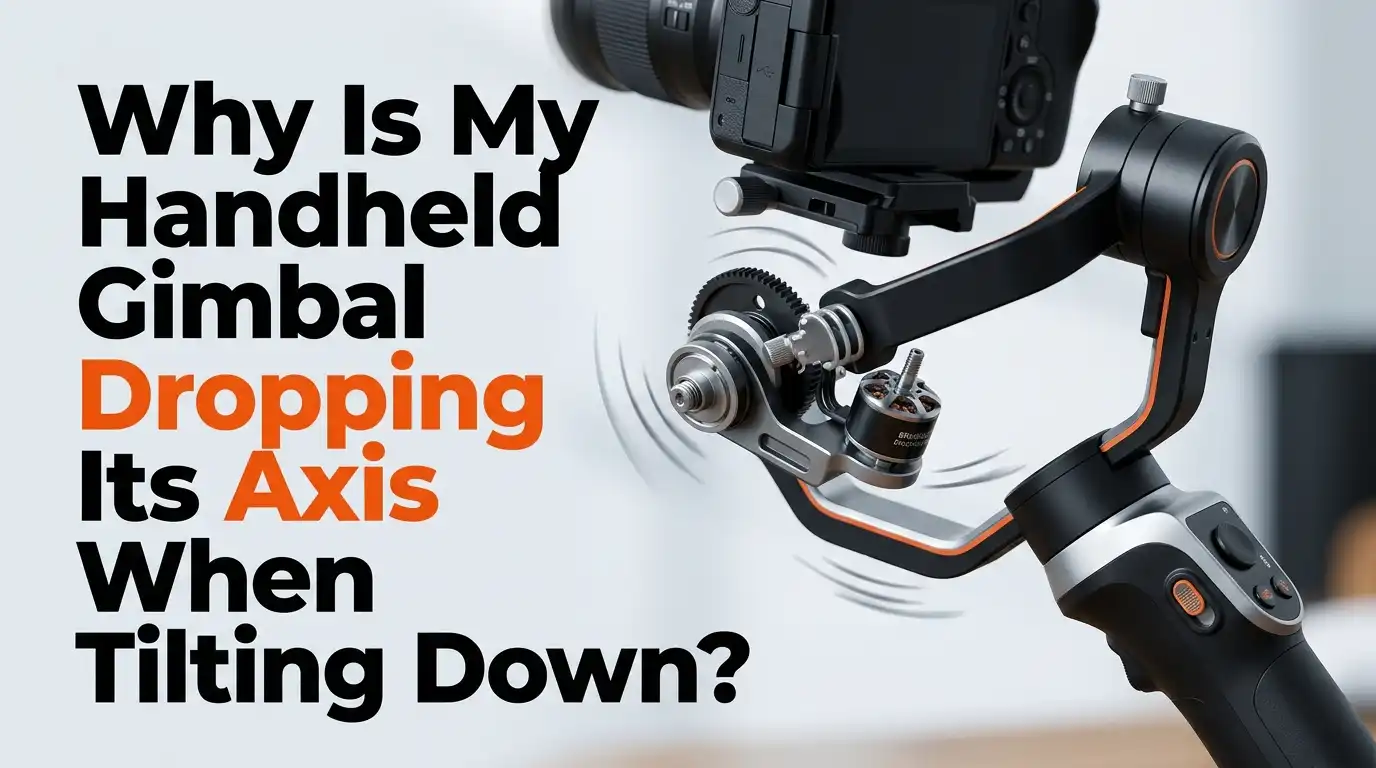
Why Is My Handheld Gimbal Dropping Its Axis When Tilting Down?
Your handheld gimbal should hold every angle with confidence. But when the tilt axis keeps dropping during downward shots, your footage suffers.
The camera sags, the horizon shifts, and the motors strain in a way that ruins your scene. This frustrating issue hits both new shooters and seasoned filmmakers using gimbals from DJI, Zhiyun, Moza, and Hohem.
The good news is that this problem almost always traces back to fixable causes. Poor balance, weak motor strength, outdated firmware, or a tired battery can all push your tilt axis into a slow drop.
Key Takeaways
- Improper balance is the top reason your tilt axis drops. The camera must sit perfectly centered on the tilt motor before you ever power the gimbal on. Always balance with the gimbal turned off.
- Low motor strength cannot hold a heavy camera and lens combo. You must run auto tune after every lens swap or accessory change to give the motor enough torque.
- Outdated firmware causes hidden bugs that affect motor response. Check the app for the latest version and install updates from both the gimbal and the controller side.
- A flat surface and a proper IMU calibration reset the gimbal’s sense of level. Skipping this step often leaves the tilt axis fighting an offset it cannot win.
- Low battery power weakens motor output during long shoots. Keep your battery above fifty percent for stable performance, especially in cold weather.
- Wear on motor bearings or cables signals a deeper hardware issue. If software fixes fail, contact the manufacturer for service before the damage spreads.
What Tilt Axis Drop Actually Means
The tilt axis is the motor that controls the up and down motion of your camera. When this axis drops, the camera tips forward on its own, even when you hold the gimbal still. You will see the horizon slide down in your viewfinder or notice the lens pointing at the ground after a smooth pan.
This is different from a full motor failure. The motor still works, but it cannot hold the commanded position. It may droop slowly or jerk down after a tilt command ends.
The drop usually gets worse during downward tilts because gravity adds extra load on a motor that is already struggling.
Understanding this difference matters because it points you to the right fix. A sagging axis is almost always a balance or power issue, not a broken motor.
Why Balance Is the Most Common Culprit
A gimbal motor only needs to make small corrections when the camera sits in true balance. If the front of the camera is even slightly heavy, the tilt motor must work hard every single second to hold the lens up. Over time, the motor gives up and the axis drops.
Balance always comes before power. The three axes (roll, tilt, and pan) each need to sit so that the camera stays still in any position with the motors off. If you let go of the camera at a forty five degree tilt and it falls forward, your tilt balance is wrong.
Pros of fixing balance first: it costs nothing, takes ten minutes, and solves most cases. Cons: it requires patience and a flat surface, and you must rebalance after every lens or accessory change.
Step by Step Tilt Axis Balancing
Start with the gimbal powered off and mounted on a flat surface or tripod. Loosen the tilt axis knob so the camera can pivot freely. Tilt the lens straight up so it points at the ceiling.
If the camera falls forward, slide the camera plate backward a few millimeters. If it falls backward, slide it forward. Repeat until the camera holds its position when pointed straight up. Then tilt it forward and check again.
Test at three positions: lens up, lens level, and lens down. A perfectly balanced tilt axis will hold all three without drifting. Tighten the knob firmly once you find the sweet spot. Never skip this test at the down position, because that is exactly where your drop problem appears.
Pros: this is the single most effective fix. Cons: heavy cinema lenses may need counterweights to balance fully.
Roll and Pan Balance Affects Tilt Too
Many shooters fix only the tilt axis and wonder why the drop returns. The truth is that all three axes work together. A heavy roll axis pulls the camera sideways, which adds load to the tilt motor during angled moves.
Balance the roll axis by leveling the camera side to side. The top plate should slide left or right until the camera stays level on its own. Then balance the pan axis by tilting the whole gimbal forward at a slight angle and watching for any swing.
A complete three axis balance removes hidden stress from the tilt motor. You will feel the difference the moment you power the gimbal back on. The motors will run cooler and quieter, and your tilt drop will likely vanish on its own.
Pros: fixes secondary causes of drop and extends motor life. Cons: takes more time than a single axis check.
Run Auto Tune After Every Setup Change
Most modern gimbals include an auto tune feature in the companion app. This function tests the weight of your camera and lens, then sets the motor strength to match. Without auto tune, the tilt motor may run too weak to hold your gear during downward angles.
To run auto tune, mount your camera, balance all three axes, and then open the app. Find the auto tune or motor calibration option and start the test. The gimbal will shake and rotate for about thirty seconds while it measures load.
Run auto tune every time you change a lens, add a microphone, or attach a monitor. Even small weight changes alter the motor demand. Skipping this step is one of the top reasons gimbals drop their tilt axis under load.
Pros: quick and automatic. Cons: may overshoot motor strength on some models, leading to vibration.
Manual Motor Strength Adjustment
If auto tune does not solve the drop, try manual motor adjustment. Open the app and find the motor strength menu. Increase the tilt motor value by ten percent and test the gimbal again. Keep raising it in small steps until the axis holds firm.
Be careful not to set the strength too high. An overpowered motor will vibrate or buzz, especially during slow pans. If you see micro jitter in your footage, drop the strength back down by five percent at a time.
The goal is the lowest stable value that still holds the camera. This setting saves battery life and reduces motor wear. Write down the final number for each camera and lens combo so you can return to it later.
Pros: gives you fine control over performance. Cons: takes trial and error, and wrong settings can cause shaking.
Update Firmware on Gimbal and App
Firmware bugs often cause tilt drop problems that no amount of balancing can fix. Manufacturers release updates that improve motor algorithms, fix sensor drift, and patch performance issues. Running outdated firmware is like driving a car that never gets serviced.
Connect your gimbal to its app over Bluetooth or USB. Check the firmware menu for any pending updates. Install both the gimbal firmware and the app update if both are offered. Keep the gimbal plugged in during the update to avoid power loss.
Restart the gimbal after the update completes, then run a fresh auto tune. Many users report that a simple firmware update solved their drop issue overnight. Set a reminder to check for updates every two months.
Pros: free fix that often solves hidden software bugs. Cons: rare cases of failed updates can brick a gimbal, so follow instructions closely.
Calibrate the IMU Sensor
The IMU (inertial measurement unit) tells the gimbal which way is up. If this sensor drifts out of true, the gimbal thinks the horizon is tilted even when it is flat. The tilt motor then fights an invisible angle and may drop as a result.
Place your gimbal on a perfectly flat surface. A spirit level or bubble app on your phone helps confirm the surface is true. Open the app and find the IMU or sensor calibration option. Follow the prompts and do not touch the gimbal during the test.
Six axis calibration asks you to flip the gimbal into different positions. Take your time with this step. A rushed calibration teaches the gimbal the wrong baseline, which will make your tilt drop worse instead of better.
Pros: fixes drift and offset issues. Cons: must be done on a truly level surface or it makes things worse.
Check Battery Health and Power Levels
Gimbal motors need steady voltage to hold their position. When the battery drops below fifty percent, the motors get less power and the tilt axis may sag. Cold weather speeds up this voltage drop, so winter shoots often see more axis drift.
Charge your battery fully before each shoot. Carry a spare if you film for more than two hours. If your gimbal uses removable cells, replace them every twelve to eighteen months. Old cells lose capacity even when they show full charge.
Test the gimbal with a freshly charged battery and see if the drop disappears. If it does, your battery is the cause. Some gimbals show motor warnings in the app when voltage runs low, so watch for these alerts during your shoot.
Pros: easy to test and fix. Cons: replacement batteries can be costly for older models.
Inspect for Physical Damage and Wear
Sometimes the drop comes from real hardware damage. A bent axis arm, a loose screw, or a worn motor bearing can all stop the tilt motor from holding firm. Look closely at the tilt arm for any bends, cracks, or play in the joint.
Gently move the tilt arm by hand with the gimbal off. You should feel smooth resistance with no grinding or clicking. If you hear noise or feel rough spots, the motor bearing may be damaged. Check the ribbon cable that runs to the tilt motor for cuts or kinks.
Drops, knocks, and travel bumps cause most physical damage. Always store your gimbal in a padded case. Never force the axes into position when the motors are locked, as this strips the gears inside.
Pros: catches serious issues before they spread. Cons: hardware repair often requires manufacturer service.
Adjust Follow Mode and Speed Settings
Your follow mode settings can make a tilt drop look worse than it is. If the tilt follow speed is too slow, the camera lags behind your hand movements and seems to droop. Open the app and find the follow speed menu for the tilt axis.
Increase the tilt follow speed by ten percent and test. Smooth track or super smooth modes add intentional lag, which some users mistake for drop. Switch to a faster follow mode like F mode (follow) to see if the issue clears.
Try different modes for different shots. Slow modes work for cinematic pans, while fast modes suit action and tracking. Save your favorite settings as presets so you can switch quickly without losing time on set.
Pros: improves the feel of every shot. Cons: too fast a setting can introduce jerky movements.
Use a Counterweight for Heavy Setups
If your camera and lens combo pushes the gimbal to its weight limit, the tilt motor may simply lack the torque to hold it down. Counterweights solve this by shifting the center of gravity closer to the motor pivot. Most gimbal brands sell official counterweight kits for this exact problem.
Mount the counterweight on the front of the tilt arm, opposite the camera lens. Add weights in small steps and rebalance after each one. The goal is to reduce the load the motor must carry during downward tilts.
Counterweights matter most for long lenses, cinema cameras, and heavy accessory rigs. Even a small twenty gram weight can fix a stubborn tilt drop. Run auto tune again after adding the counterweight.
Pros: lets you use heavier gear without motor strain. Cons: adds bulk and total weight to the rig.
When to Contact Manufacturer Support
If you have tried balancing, auto tune, firmware updates, IMU calibration, and motor strength tweaks with no luck, your gimbal may need professional service. Persistent drop after all software fixes points to a hardware fault that needs expert repair.
Gather your purchase receipt and serial number before you call support. Record a short video showing the drop problem so the support team can see exactly what happens. Many brands offer warranty repair within one to two years of purchase.
Do not open the gimbal yourself. Internal repairs require special tools and can void your warranty. Send the gimbal to an authorized service center for the best result.
Pros: official repair restores full function. Cons: shipping time and possible repair fees outside warranty.
Frequently Asked Questions
Why does my gimbal tilt down only during fast movements?
Fast moves create sudden inertia that the tilt motor must fight. If your motor strength is set too low or your balance is slightly off, the motor cannot recover in time and the axis drops. Run auto tune and rebalance the tilt axis to fix this.
Can a heavy lens cause my tilt axis to drop?
Yes, a heavy or long lens shifts the center of gravity forward. The tilt motor then carries extra load during downward angles. Use a counterweight on the rear of the tilt arm and rebalance to even out the weight.
How often should I balance my gimbal?
Balance your gimbal every time you change cameras, lenses, or accessories. Even a small filter or microphone alters the balance. A quick check before each shoot prevents most tilt drop issues.
Will updating firmware delete my settings?
Most firmware updates keep your saved settings. However, some major updates reset motor calibration and follow modes. Write down your custom settings before any update so you can restore them if needed.
Is tilt drop covered under warranty?
Tilt drop caused by manufacturing defects is usually covered within the standard warranty period. Damage from drops, water, or misuse is not covered. Contact your brand’s support team with your serial number to check coverage.
Can cold weather make my gimbal drop its axis?
Yes, cold reduces battery voltage and stiffens motor lubricants. Both effects weaken the tilt motor’s hold. Keep spare batteries warm in an inside pocket and let the gimbal warm up before serious shooting in cold conditions.

Hi, I’m Archie Flynn, the founder and writer behind RapidResizerHub! 👋 I’m a passionate tech enthusiast who loves exploring the latest gadgets, smart devices, and trending electronics on Amazon. Through my honest, hands-on reviews and detailed buying guides, I help readers make smarter, well-informed shopping decisions.