How To Fix Smart Dog Collar GPS Module Losing Signal Under Tree Cover?
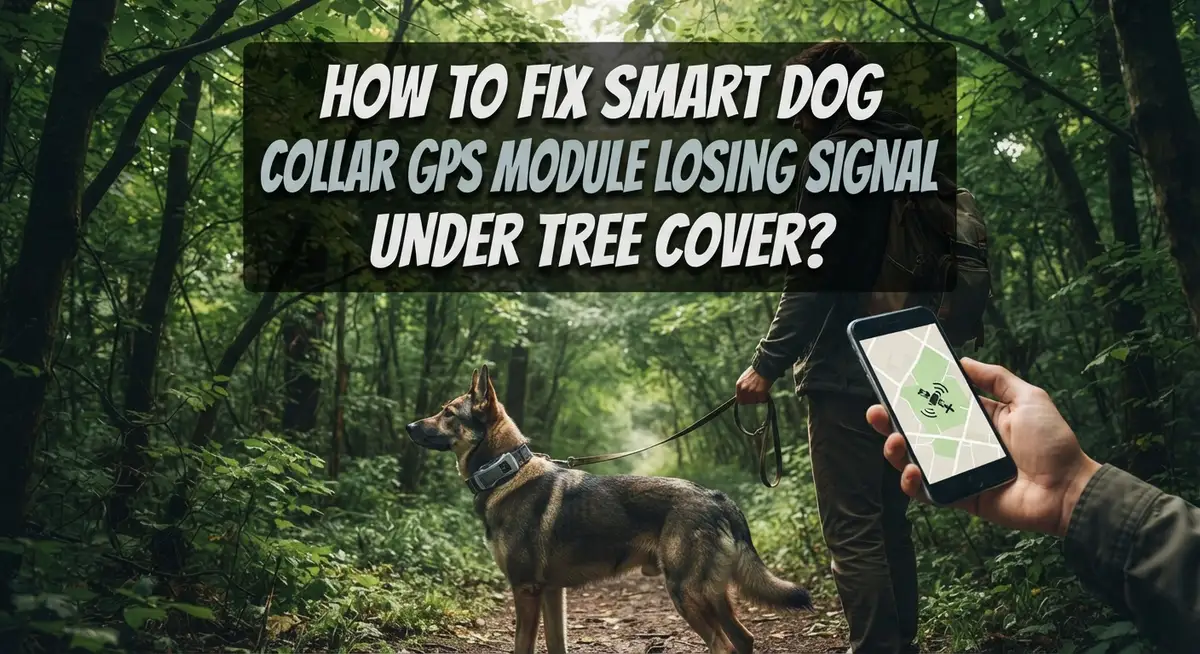
Does your dog vanish from the map the second she runs under a tree? You are not alone.
Many pet parents face this same problem. Their smart dog collar works great in the yard but loses signal in the woods or the park.
Dense leaves and branches can block satellite signals. This causes your GPS module to freeze or show a fake location.
The good news? This is often fixable. You do not need to buy a new collar right away.
In this guide, we will walk through simple steps to fix this issue. We will show you how to check for physical damage on the antenna.
In a Nutshell
- Clean the collar first. Dirt and grime can block the antenna. A simple wipe down often helps the signal work better.
- Check for cracks or damage. Look closely at the GPS module and antenna. Even small cracks can cause big signal problems.
- Update the firmware. Old software often causes signal issues. This step gets skipped a lot, but it matters.
- Reset the device. A simple restart can fix many connection glitches. Try this before moving to bigger fixes.
- Recalibrate in an open area. Stand away from trees and buildings. This helps the GPS get a strong, clear signal to start.
- Test in different spots. Do not just retest under the same tree. Try open fields first to see if the collar works properly there.
Why Tree Cover Disrupts GPS Signal Reception
Trees block GPS signals because satellite communication requires a clear line of sight to the sky. When your dog runs under dense foliage, branches and leaves act as physical barriers between the collar antenna and orbiting satellites above.
GPS signals travel at the speed of light, but they cannot pass through solid matter efficiently. Leaves and branches scatter and absorb these radio waves. The thicker the canopy, the worse the signal degradation becomes.
Multiple factors make tree cover particularly problematic. Dense forests create what scientists call “signal attenuation.” This means the satellite signal weakens dramatically as it passes through layers of vegetation. Parks with mature trees cause similar issues.
The problem gets worse in specific conditions. Wet leaves absorb more signal than dry ones. Evergreen trees block signals better than deciduous trees because they maintain foliage year round. Thick, old growth forests are worse than thin, young trees.
Your collar’s antenna size matters too. Smaller antennas struggle more under tree cover than larger ones. The antenna needs a relatively open view of the sky to lock onto multiple satellites simultaneously.
Building materials also interfere with GPS. Metal roofs, concrete structures, and dense buildings near trees compound the problem. Your dog might lose signal when moving between wooded areas and urban environments.
GPS systems work best with a clear 30 to 45 degree view of the sky in multiple directions. Tree canopies reduce this view significantly. The collar cannot maintain a strong connection when satellites are blocked overhead.
Understanding this helps you troubleshoot more effectively. Signal loss under trees is not a collar failure. It is a physics limitation that you can often overcome with proper maintenance and recalibration techniques.
Signs Your Collar’s GPS Module Is Struggling With Foliage Interference
Your dog’s collar may show several warning signs before it completely loses GPS signal under tree cover. Learning to spot these clues helps you catch problems early.
Intermittent location updates are often the first sign. Your collar might pinpoint your dog’s location, then show nothing for several minutes. The map refreshes sporadically instead of showing continuous movement. This happens when the GPS module struggles to maintain a steady connection to satellites.
Delayed position reports indicate the collar is working hard to find a signal. Your dog moves across the yard, but the app takes 10 to 15 minutes to update her location. In open areas, updates normally happen every few seconds or minutes. This lag tells you the antenna is straining to connect.
Frozen location displays mean the collar stopped updating entirely. The map shows your dog in one spot for an hour, even though you know she moved around. This happens frequently under dense trees or in covered areas like dog boxes.
Signal bars dropping suddenly give you real time feedback. Many collar apps show signal strength with bars or percentage numbers. Watch for these numbers plummeting when your dog enters shaded areas.
Erratic position jumps appear when the GPS finally reconnects. Your dog’s dot might suddenly teleport across the map instead of moving smoothly. This means the collar lost signal completely, then grabbed a weak signal from a different satellite angle.
Battery draining faster happens when your GPS module works overtime searching for satellites. The harder it searches, the more power it uses.
These signs tell you something is wrong. They point toward foliage interference, hardware damage, or software glitches. Catching these early lets you fix the problem before you lose your dog’s location completely.
Step-by-Step Fix: Cleaning and Inspecting the GPS Module and Antenna
Start by powering off your dog’s collar completely. This prevents accidental damage during inspection and gives you a safe way to examine all components carefully.
Cleaning the GPS module requires a soft, dry cloth. Gently wipe the antenna area and any visible sensor ports. Avoid using liquids or harsh chemicals, as these can damage internal circuits. Pay special attention to corners and crevices where dirt accumulates. Debris blocks signal reception and causes the exact problems you’re experiencing.
Next, inspect the antenna carefully for visible cracks, discoloration, or separation from the collar body. The antenna is a small protrusion or flat component, depending on your collar model. Run your finger gently around it to feel for damage. Even tiny cracks prevent proper signal transmission.
Check all physical connections inside the battery compartment. Look for loose wires connecting the GPS module to the power source. Gently press each connection point to ensure it sits firmly. A loose connection causes intermittent signal loss that mimics environmental interference.
Examine the entire GPS module for corrosion or water damage. Small white, green, or blue crusty spots indicate corrosion. This occurs when moisture reaches the circuit board. If you spot corrosion, the module may need professional repair or replacement.
Test the collar in bright sunlight after inspection. This helps you determine if the problem is hardware related or environmental. If signal improves significantly in open sunlight, the module itself is likely functional. If problems persist, proceed to firmware updates and recalibration steps.
Document any damage you find with photos. This information helps if you need to contact customer support later.
Step-by-Step Fix: Firmware Updates, Resets, and Recalibration
Start with a firmware update. Most GPS collars have outdated software that causes signal loss. Connect your collar to a computer or mobile app and check the manufacturer’s website for the latest version. Download the newest firmware file to your device. Follow the app’s update instructions carefully. The process usually takes 5 to 10 minutes. Do not power off the collar during this update or it may become damaged.
After updating, perform a complete device reset. This clears old settings that might interfere with GPS reception. Most collars have a reset button you hold for 10 to 15 seconds. Some models require you to reset through the mobile app instead. Check your collar’s manual for the exact method. Wait a full minute after resetting before powering the device back on.
Now recalibrate your GPS in an open area. This step is critical and often skipped. Take your collar to a location with zero tree cover, buildings, or metal structures nearby. A large parking lot or open field works perfectly. Power on the collar and let it sit for 5 minutes without moving it. This allows the GPS to lock onto multiple satellites and establish accurate positioning.
Test the collar in this open space first before returning to areas with trees. Walk around for several minutes while monitoring the location updates on your app. You should see smooth, consistent position changes. Once calibration succeeds in the open, take your collar back to tree covered areas and test again.
If signal loss continues after these steps, the hardware likely has damage. Physical problems require professional repair or replacement rather than software fixes.
Best Practices for Testing and Calibrating in Open Areas
Testing your dog’s GPS collar in open areas gives you a clear picture of how well it actually works. This baseline test shows whether the problem is hardware damage or just environmental interference from trees.
Find a location with no trees, buildings, or metal structures nearby. A parking lot, open field, or beach works perfectly. Make sure your dog wears the collar and stays in this space for at least 10 to 15 minutes. The GPS module needs time to lock onto satellites and establish a strong connection.
Check the collar’s app or display during this test. Watch for consistent location updates every few seconds. The signal bars should stay full or near full. If you see drops, freezes, or jumps in position, your hardware likely has damage that needs repair.
Document what happens during this open area test. Take screenshots or notes about signal strength, update speed, and battery drain. This information helps you understand if the collar works correctly when conditions are ideal.
After confirming performance in open space, move gradually toward tree cover. Test near a single tree first, then denser areas. This step by step approach shows exactly where signal loss begins. You’ll see how much foliage actually affects your specific collar model.
Repeat this open area test after any firmware updates or resets. The baseline changes if you make software changes to your device. A second open area test confirms those changes actually improved performance.
If your collar performs perfectly in open areas but fails under trees, the problem is environmental, not hardware. If it fails even in open space, the GPS module or antenna likely needs professional inspection or replacement.
Understanding Dual Satellite and Cellular Backup Systems
Smart dog collars use two different systems to track your pet. The first system is GPS, which relies on satellites in the sky. The second system is cellular backup, which uses cell towers on the ground. Understanding how these systems work together helps you fix signal loss under trees.
GPS satellites send signals down to your collar’s receiver. Trees block these signals because their leaves and branches absorb radio waves. When GPS alone fails under dense foliage, your collar switches to cellular backup. This cellular network uses ground based towers instead of sky based satellites.
Dual satellite and cellular systems work as a team. Your collar tries GPS first because it’s more accurate. If GPS signal drops, the collar automatically switches to cellular data. This backup system keeps your dog’s location updated even when trees block the sky.
The problem happens when your collar loses both signals at once. This occurs in deep forests or areas far from cell towers. Your collar then shows a frozen or outdated location. Some collars perform better in tree cover because they have stronger antennas or better chipsets.
The key is knowing which system failed. If your collar works perfectly in open areas but fails under trees, GPS is the problem. If it fails everywhere, including near buildings with cell coverage, the cellular backup isn’t working. Test your collar in both locations to identify which system needs attention.
Different collar models have different backup capabilities. Some use GPS only. Others combine GPS with cellular networks. A few add additional satellite systems like GLONASS for better coverage. Check your collar’s specifications to see which systems yours includes. This tells you what backup options you actually have available.
Common Mistakes That Worsen Signal Loss Under Tree Cover
Many dog owners make mistakes that actually make signal loss worse, not better. Understanding these errors helps you fix the problem faster.
Testing in the same problematic location is the biggest mistake. If your collar loses signal under trees, don’t troubleshoot there. You won’t know if your fix actually worked. Test in open areas first to see real results. Move back to tree cover only after confirming success in open space.
Skipping firmware updates causes many signal problems. Your collar’s software controls how it searches for satellites and connects to backup systems. Outdated firmware has bugs that developers already fixed. Always update to the latest version before trying other fixes.
Not inspecting for physical damage before software fixes wastes your time. Many people reset their collar or update firmware when the real problem is a cracked antenna or loose connection. Spend five minutes checking the GPS module first. Look for visible cracks, corrosion, or separation from the collar body.
Rushing through calibration also makes things worse. Your collar needs to recalibrate in an open area after updates or resets. Don’t skip this step. Give it several minutes to lock onto satellites properly.
Another common error is testing during bad weather or at dawn and dusk. Clouds, rain, and low sun angles reduce satellite visibility. Test during midday in clear conditions for the most accurate results.
Finally, some owners ignore environmental factors completely. Dense trees, metal structures, and tall buildings all block signals. These aren’t collar problems. They’re location problems. Understanding this difference helps you decide if you need repairs or just better tracking strategies.
Troubleshooting Persistent Signal Loss Across Different Collar Models
GPS dog collar signal loss happens across many collar models, and the causes are often similar. Your troubleshooting approach should follow a logical sequence to identify whether the problem is hardware, software, or environmental.
Start by cleaning your collar thoroughly. Dirt, moisture, and debris accumulate on the GPS module and antenna. Use a soft, dry cloth to wipe the entire device. Pay special attention to the antenna area, as buildup here directly blocks satellite signals.
Next, inspect the GPS module for physical damage. Look for cracks, dents, or corrosion on the device itself. Check that the antenna connection is tight and not loose. Many signal problems stem from loose connections that owners overlook.
Update your collar’s firmware to the latest version available. Manufacturers release updates specifically to improve GPS performance and fix signal issues. Skipping this step means you’re troubleshooting with outdated software.
Reset your device completely according to the manufacturer’s instructions. This clears any software glitches that might interfere with satellite acquisition.
Recalibrate your GPS in an open area away from trees and buildings. This step is critical because it establishes a baseline for how your collar actually performs. Many owners skip this and assume their collar is broken when it’s simply miscalibrated.
After recalibration, gradually move toward tree cover to identify exactly where signal drops. Document your findings carefully. If your collar works perfectly in open spaces but fails under trees, the problem is environmental interference, not hardware failure.
Different collar models respond differently to these steps. Some recover quickly after firmware updates, while others need physical inspection first. The key is being systematic and not rushing through any single step.
Final Thoughts
Losing GPS signal under tree cover feels frustrating. But most fixes are simple and quick.
Start with the basics every time. Clean your collar, check the antenna, and update your firmware. These steps solve many problems before they start.
Always calibrate your collar in an open area first. This gives you a clear baseline. You will know exactly what normal signal strength looks like.
Tree canopy blocks GPS satellites from reaching your collar’s receiver. This is simply physics, not a defect in your device. Understanding this helps you set realistic expectations.
Dual satellite and cellular systems give you better backup coverage. If your collar has both, it can switch systems when trees block one signal. This makes a real difference in dense forests.
Avoid testing in the same problematic spot repeatedly. Move to different locations to understand your collar’s true limits. This helps you map out safe zones and risky areas.
Physical damage often causes signal loss that firmware updates cannot fix. Always inspect your antenna and module first. Software fixes only work when hardware is intact.
Patience matters during this whole process. Rushing calibration or skipping steps creates more problems later. Take your time with each troubleshooting step.
Your dog’s safety depends on a collar that works reliably. Regular maintenance prevents most signal issues before they become serious. Check your device often, especially before walks in wooded areas.
Every collar model behaves differently under tree cover. Learn your specific device’s strengths and weaknesses. This knowledge helps you use it more effectively every day.
With proper care, most signal loss problems have practical solutions. Stay consistent with maintenance and calibration for the best results.
Frequently Asked Questions
Why does my dog’s GPS collar lose signal more under trees than in open spaces?
GPS satellites orbit Earth and transmit signals downward. Tree leaves, branches, and dense foliage block these signals from reaching your collar’s antenna. The thicker the canopy, the weaker the connection becomes. Buildings and metal structures also interfere with satellite reception.
Open areas allow clear line of sight between your collar and multiple satellites. This is why signal drops dramatically when your dog runs under thick tree cover in parks or forests.
What’s the first thing I should check if my collar keeps losing signal?
Start by cleaning your collar thoroughly. Dirt, mud, and debris can block the antenna and weaken signal strength. Use a soft cloth and mild water to gently clean the GPS module area.
Next, inspect the antenna and GPS module for visible cracks, dents, or physical damage. Look closely at connection points where the antenna attaches to the main unit. Loose connections are a common culprit that many owners overlook.
Should I update my collar’s firmware to fix signal problems?
Yes. Firmware updates often include GPS performance improvements that address signal loss issues. Check your collar manufacturer’s app or website for the latest version available.
However, firmware alone won’t fix physical damage or environmental interference from tree cover. Update your collar as part of your troubleshooting routine, but don’t skip the hardware inspection steps first.
Can I test my collar’s GPS in the same location where it keeps failing?
No. Testing in the same problematic spot won’t help you identify the real issue. Move to a completely open area away from trees and buildings to establish a baseline for how your collar should perform.
Once your collar works reliably in open space, gradually move toward tree cover to pinpoint exactly where signal drops occur. This approach helps you understand your collar’s actual limits.

Hi, I’m Archie Flynn, the founder and writer behind RapidResizerHub! 👋 I’m a passionate tech enthusiast who loves exploring the latest gadgets, smart devices, and trending electronics on Amazon. Through my honest, hands-on reviews and detailed buying guides, I help readers make smarter, well-informed shopping decisions.