How To Fix Tablet Magnetic Pogo Pin Contact Sticking?
Does your tablet suddenly stop charging or syncing with its magnetic keyboard? The problem might be a stuck pogo pin.
Pogo pins are tiny spring loaded connectors. They sit inside your tablet and its accessories.
These small parts make magnetic contact possible. But they also get stuck easily.
Dust, dirt, and oxidation build up over time. This buildup causes pins to jam or lose contact.
You might notice sparks, weak connections, or total failure to connect. These are common signs of pogo pin trouble.
In a Nutshell
- Clean first: Wipe the pins with isopropyl alcohol. This removes oxidation and debris that block the connection.
- Lubricate gently: Apply a tiny amount of micro lubrication to the spring. This frees up pins that feel stuck or slow.
- Check the pressure: Too much spring compression causes pins to jam. Make sure the pre-pressure setting feels balanced, not tight.
- Align with care: Use thin adhesive strips, around 2 to 3mm, to keep contacts lined up properly. Good alignment prevents future sticking.
- Avoid side loading: Pushing pins from an angle damages the spring mechanism. Always apply pressure straight on.
- Watch for magnetic pairing: Moveable pogo pin modules with N-S magnetic alignment help stop short circuits. This keeps your connection safe and steady.
Understanding Pogo Pin Connectors and How They Work
Pogo pins are spring loaded connectors that sit inside your tablet’s magnetic charging port. They work by using a metal spring to push a contact point outward. When you attach a magnetic keyboard or charger, these pins make electrical contact.
The spring inside each pin compresses slightly when pressure is applied. This compression allows electricity to flow between your tablet and the accessory. The spring then pushes back to its original position when you remove the device.
Your tablet typically has multiple pogo pins arranged in a specific pattern. Each pin serves a different function, such as power delivery or data transfer. The magnetic alignment helps position the accessory correctly so pins connect properly.
Oxidation is the main enemy of pogo pins. When metal surfaces are exposed to air and moisture, they develop a thin oxide layer. This layer blocks electrical flow and causes the stick problem. Dust and debris also accumulate on these tiny surfaces over time.
Spring fatigue happens gradually with repeated use. The metal loses its ability to bounce back to full height. When a spring weakens, the pin sits lower and makes poor contact with your accessory.
Excessive compression is another common issue. If the spring gets pushed too hard during assembly or use, it can become permanently bent. A bent spring cannot return to proper height, leaving the pin stuck in a compressed state.
Understanding these mechanics helps you see why cleaning and gentle lubrication work. You are removing the barriers that prevent smooth spring movement. Proper alignment and pressure settings keep the pins functioning correctly for years.
What Causes Pogo Pins to Stick or Fail
Pogo pins stick or fail for several clear reasons. Understanding these causes helps you fix the problem effectively.
Oxidation is the primary culprit. Metal surfaces on pogo pins react with air and moisture over time. This creates a thin oxide layer that blocks electrical contact. The pins feel stiff or refuse to move smoothly. Oxidation builds up gradually, especially in humid environments or after water exposure.
Debris accumulation causes significant problems. Dust, lint, and dirt particles settle inside the charging port. These materials wedge between the spring and the pin shaft. The spring cannot compress or extend properly. Your tablet fails to charge or charges slowly.
Spring fatigue develops with repeated use. Every time you connect your charger, the spring compresses. After thousands of cycles, the metal loses its elasticity. The spring no longer returns to its original position. Pins remain stuck in a partially compressed state.
Improper spring pressure creates mechanical failure. If springs were compressed too tightly during manufacturing or assembly, they become permanently damaged. The metal cannot move freely. Even gentle use causes the pins to jam.
Side loading damages the mechanism. Inserting the charging connector at an angle places stress on the pin shaft. This sideways force bends the spring or misaligns the pin. The connector no longer seats properly in the port.
Moisture and corrosion accelerate failure. Water exposure causes rust on metal surfaces. Corrosion spreads quickly and makes pins immobile. Salt residue from sweat or spilled liquids accelerates this process.
These causes often work together. A pin exposed to moisture develops oxidation. Dust sticks to the corroded surface. The weakened spring cannot handle the extra debris. Your tablet’s charging port becomes completely unresponsive.
Signs Your Tablet’s Pogo Pin Contact Is Sticking
Your tablet’s pogo pin contact shows specific warning signs when it starts sticking. Learning to spot these early signals helps you fix the problem before it gets worse.
Slow or interrupted charging is often the first clue. Your tablet charges slower than usual, or the connection drops and reconnects repeatedly. You might notice the charging percentage jumps around instead of climbing steadily.
Your tablet stops recognizing the charger even though the connector looks fine. The device refuses to charge at all, or it only charges when you hold the connector at a certain angle. This angle dependency is a red flag for stuck pins.
Heat buildup around the charging port happens when pins don’t make proper contact. Electricity has to work harder to flow through corroded or stuck connections. The port feels warm or even hot to the touch during charging.
Visible corrosion or discoloration on the metal pins themselves indicates oxidation. You might see a greenish, white, or brownish coating on the connector ends. This oxidation blocks electrical flow and causes sticking.
Sparking or crackling sounds during charging mean pins are making spotty contact. This happens when current jumps across small gaps instead of flowing smoothly through the connection.
The connector feels loose or wobbly inside the charging port. It should fit snugly, but a stuck pin mechanism loses its spring tension over time.
Your tablet won’t charge at all, regardless of connector position. This suggests complete pin failure from prolonged sticking and oxidation.
Pay attention to these signs. Early detection lets you clean and restore your pins before permanent damage occurs.
Step-by-Step Guide to Cleaning and Fixing Stuck Pogo Pins
Start by powering off your tablet completely. This prevents electrical damage while you work on the pogo pins.
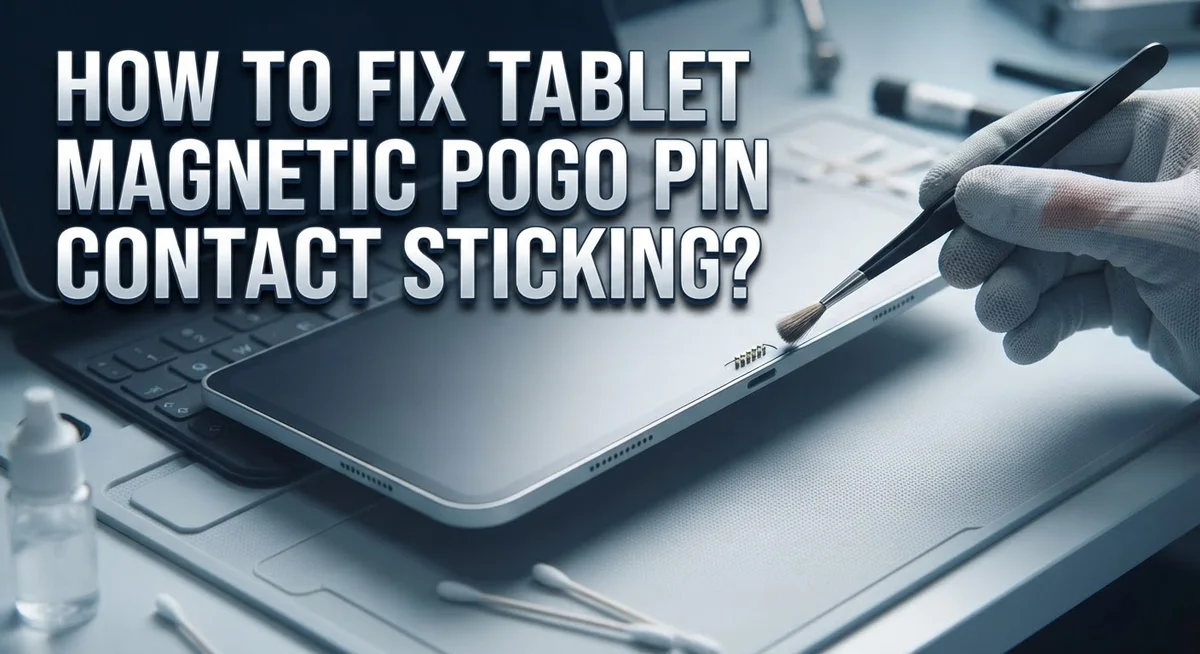
Gather your cleaning supplies. You need isopropyl alcohol (at least 90% concentration), soft bristle brushes, lint free cloths, and cotton swabs. These items safely remove oxidation without harming the delicate pins.
Dip your cotton swab into isopropyl alcohol. Gently insert it into the charging port and swab each pin individually. Use light circular motions to dissolve oxidation buildup. Repeat this process several times until the swab comes out clean.
Use your soft bristle brush to gently scrub the pin contacts. Work carefully around each spring mechanism. The brush removes stubborn debris that alcohol alone cannot lift away.
Let the alcohol dry completely. This typically takes 5 to 10 minutes. Moisture remaining in the port can cause future corrosion problems.
Now apply micro lubrication to the stuck springs. Use only a tiny amount on the spring coils themselves. Too much lubrication attracts dust and creates new problems. A minimal application helps springs move freely again.
Test the pins gently with your finger. They should move up and down smoothly without resistance. If any pin still feels stuck, repeat the cleaning process.
Check the connector alignment before reconnecting. Proper alignment prevents side loading that damages the mechanism. Insert your charger straight into the port without tilting.
Monitor your tablet during the first few charging cycles. Watch for normal charging speed and proper device recognition. If problems persist after thorough cleaning, internal damage may require professional service.
Adjusting Pre-Pressure and Spring Compression Correctly
Pre-pressure refers to the initial force that spring-loaded pogo pins maintain when no connector is inserted. Getting this setting right prevents sticking and extends pin lifespan.
Excessive pre-pressure is a common culprit. When springs are compressed too tightly during manufacturing, the pins lose flexibility. They become rigid and resist movement, which causes sticking. The metal loses its ability to bounce back smoothly after each connection cycle.
Check your tablet’s specifications for the recommended pre-pressure range. Most manufacturers list this in technical documentation. If your tablet is still under warranty, contact support for exact measurements.
To adjust pre-pressure safely, locate the spring mechanism inside the charging port. You may need to remove a small cover or access panel. Gently loosen the spring slightly using an appropriate tool. Test the pin movement with your finger. It should move smoothly without excessive resistance.
Spring compression should allow controlled movement. The pin should depress easily when you apply light pressure, then return to its original position quickly. If it feels stiff or sluggish, reduce the compression further.
Side loading creates uneven pressure on springs. This happens when you insert the connector at an angle. Always align the connector straight into the port to distribute pressure evenly across all pins.
After adjusting pre-pressure, apply thin adhesive tape around the connector edges if needed. This prevents side loading during future charging sessions.
Test your tablet with short charging cycles first. Monitor for heat buildup or unusual sounds. Proper pre-pressure adjustment should eliminate sticking and restore reliable charging performance within a few connection cycles.
Preventing Future Sticking with Proper Alignment and Care
Proper alignment and regular care prevent pogo pin sticking before it becomes a problem. Start by examining how you insert your charging connector. Always align the connector straight with the charging port. Push it in gently and straight, avoiding any twisting or angled movements. Angled insertion puts stress on the pin shaft and causes misalignment over time.
Keep your charging port clean on a regular basis. Dust and debris accumulate inside ports naturally. Use a soft brush or compressed air to remove particles monthly. This simple step stops oxidation from starting in the first place.
Store your tablet properly when not in use. Keep it in a clean, dry environment. Moisture promotes corrosion on metal contacts. Avoid placing your tablet in areas with high humidity or temperature changes.
Check your connector cable regularly for damage. Frayed wires or bent connectors force pins into incorrect positions. Replace damaged cables immediately to protect your port. Inspect the connector tip for any visible debris or corrosion before each use.
Apply gentle pressure when inserting the connector. Heavy handed insertion compresses springs beyond their design limits. The connector should slide in smoothly with minimal force. If you feel resistance, stop and check the alignment instead of pushing harder.
Rotate between multiple charging cables if you have them. This distributes wear evenly across different connector sets. One cable used constantly wears faster and damages pins more quickly.
Monitor your tablet’s charging behavior consistently. Note any changes in charging speed or heat output. Early detection of problems allows you to address issues before pins become permanently stuck. Quick action saves your charging port from serious damage.
Common Mistakes to Avoid When Fixing Pogo Pins
When fixing pogo pins, several mistakes can make your situation worse instead of better. Understanding what to avoid saves you time and prevents further damage.
Don’t apply excessive force when cleaning. Many people scrub pins too hard with brushes or swabs. This aggressive approach damages the delicate spring mechanism and can bend pins permanently. Use gentle, circular motions instead. Light pressure is all you need to remove oxidation and debris.
Avoid using the wrong cleaning liquids. Water, vinegar, or general cleaners can leave residue on contacts. Isopropyl alcohol is your best choice because it evaporates quickly and doesn’t corrode metal surfaces. Other liquids trap moisture inside the connector and cause short circuits.
Don’t skip the drying step. Rushing to reconnect your tablet while alcohol still lingers creates electrical problems. Wait at least five to ten minutes for complete evaporation.
Never over lubricate the springs. A tiny amount of micro lubrication helps stuck pins move freely. Too much lubricant attracts dust and debris, making sticking worse over time. Apply just enough to coat the spring lightly.
Avoid inserting the connector at odd angles. Side loading puts uneven pressure on individual pins and causes them to stick or bend. Always align the connector straight before pushing it in gently.
Don’t ignore pre-pressure settings. If your tablet’s charging port has adjustable springs, compressing them too tightly is a major mistake. Overly compressed springs trap pins in a stuck position and prevent proper contact.
Finally, don’t continue using a problematic connector. Forcing a stuck pin to work damages both the pin and your tablet’s internal circuitry. Stop using it immediately and address the issue properly.
Troubleshooting Persistent Contact and Short-Circuit Issues
When pogo pins stick together, they create electrical problems. Persistent contact sticking happens when pins lose their spring action. This causes charging failures and potential short circuits that damage your tablet.
The first sign of trouble is slow charging or no charge at all. Your tablet might also feel warm near the charging port. These symptoms mean the pins are not making proper electrical connection.
Oxidation builds up on metal surfaces over time. This invisible layer prevents electricity from flowing correctly. Debris like dust and lint also traps pins in place. Both issues stop springs from moving freely.
To fix persistent sticking, start with careful cleaning. Use isopropyl alcohol on a soft brush or cotton swab. Gently work the solution around each pin. Let the alcohol dry completely before reconnecting anything.
Micro lubrication helps stuck springs move again. Apply only a tiny amount to the spring mechanism. Too much lubricant attracts dust and causes more problems. A single small drop is enough for the entire pin assembly.
Check if pins are compressed too tightly. Excessive compression is a major cause of sticking. Springs should move smoothly when you apply light finger pressure. If they feel stuck or rigid, compression is too high.
Look for contact sparks when you connect your charger. Sparks mean short circuits are happening inside the port. This damages both your tablet and charging cable. Stop using that connector immediately.
Short circuits occur when pins touch each other accidentally. Proper spacing between pins prevents this issue. Moveable pogo pin modules with magnetic alignment keep pins separated. This design stops electrical problems before they start.
Regular inspection catches sticking problems early. Check your charging port monthly for debris or discoloration. Clean it gently before issues become serious.
Final Thoughts
Fixing a stuck pogo pin does not need to be complicated. Most problems start with dirt, oxidation, or too much pressure on the springs.
Cleaning solves the majority of sticking issues. Isopropyl alcohol removes buildup without damaging the metal contacts. A few gentle wipes often bring pins back to life.
Sometimes cleaning alone won’t fix a spring that feels tight or slow. In these cases, micro lubrication gets the mechanism moving again. Just remember that a little goes a long way.
Pre pressure settings matter more than people realize. If pins sit under too much compression, they wear out fast and stop working properly. Checking this setting can save you from repeat repairs.
Magnetic alignment also plays a big role in performance. Pins with N-S pairing reduce the risk of short circuits and keep connections steady. This matters even more if your tablet uses a magnetic charging system.
Thin adhesive strips help with alignment too. A strip of 2 to 3mm keeps the connector steady and reduces wobble that leads to sticking.
Avoiding side loading protects the pins from bending or uneven wear. Straight, gentle insertion keeps the spring mechanism working the way it should.
Fixing pogo pins is mostly about patience and care. Clean the contacts, check the pressure, apply light lubrication if needed, and always insert your charger straight.
These small steps add up to a tablet that charges smoothly and reliably. With the right care, you can avoid most sticking issues and extend the life of your pogo pin connector.
A little maintenance now saves you from bigger problems later.
Frequently Asked Questions
Why do my tablet pogo pins keep getting stuck?
Pogo pins stick when debris builds up inside the connector or when the metal surfaces oxidize over time. Spring mechanisms can also become compressed too tightly, which prevents smooth movement. Dust, lint, and moisture are common culprits that accumulate in the charging port area.
Can I fix stuck pins myself without professional help?
Yes, most stuck pin issues respond well to careful cleaning. Use isopropyl alcohol on a soft swab to gently clean the contact surfaces. Let everything dry completely before reconnecting. If cleaning doesn’t work, the spring mechanism may need micro lubrication or a pre pressure adjustment.
What’s the safest way to clean pogo pin contacts?
Apply isopropyl alcohol to a lint free swab and gently wipe each pin. Never scrub aggressively or use hard brushes. Let the alcohol evaporate naturally. Avoid water, vinegar, or household cleaners since these leave residue behind. Patience during cleaning prevents damage to the delicate springs.
How much lubrication should I use on stuck springs?
Use only a tiny amount of micro lubrication. A single small drop applied directly to the spring mechanism is usually enough. Too much lubricant causes buildup and attracts more debris. The goal is to help the spring move freely, not to coat everything.
What signs show my pogo pins are failing?
Slow charging or no charge at all indicates contact problems. You might see visible sparks when connecting your charger. The connector may feel loose or require odd angles to work properly. These warning signs mean it’s time to clean or adjust your pins before complete failure occurs.

Hi, I’m Archie Flynn, the founder and writer behind RapidResizerHub! 👋 I’m a passionate tech enthusiast who loves exploring the latest gadgets, smart devices, and trending electronics on Amazon. Through my honest, hands-on reviews and detailed buying guides, I help readers make smarter, well-informed shopping decisions.